
A poster is not a document with a margin. It is three pages stacked on top of each other: what a passer-by gets in two seconds, what a reader gets in thirty, and what survives as a photograph. Most posters fail the first one, and the failure is structural rather than cosmetic.
Work at three distances
- Three metres — the headline and one figure. If those two elements do not stand alone, the poster has no entry point.
- One metre — the argument. Three to five blocks, each one idea, each with a label you could read out loud.
- Thirty centimetres — the evidence. Sources, dates, units, the small print that makes the claim trustworthy.
Most amateur posters fail at the first distance because everything is set at the same visual weight: nothing reads from far away, and the closer you get the more equally loud it stays. The fix is not “make the headline bolder”. It is to decide, once, which element owns the page.
First question: what is the H1?
“The biggest thing on the poster” is not a useful instruction, because the answer depends on what the poster is about. Across the work we have put through the infographic Skill, four answers cover almost every poster:
| Content | The H1 is | Typical failure |
|---|---|---|
| A statistic or finding | The number, set huge, with its label attached | The number is one tile among six |
| A person, or work attributed to one | The face, fused with the name | A small portrait tucked inside a card |
| A place or distribution | The map or chart, occupying the top third | The map is a decorative background |
| An object, species or system | A labelled specimen, front and centre | The specimen is a thumbnail with callouts floating away |
The choice is read off the content, not off the style. A biography whose H1 is an object — a book, a building, an award — has lost the plot before the palette is chosen. And a statistic whose H1 is a portrait has buried the finding.
When a named person is central, the portrait rule is strict and worth stating plainly: frontal, no profile or three-quarter angle; the face fused with the name as one element; the ground a plane rather than a scene; and no text laid over the face. Those four constraints are what make a face read as the subject instead of as decoration.
The proportional ladder
Once the H1 is named, the rest is arithmetic:
- One entry point. The H1 takes roughly 55–65% of the plate’s visual weight. Everything else is supporting.
- A second tier at 20–30%. Three to five blocks, none of them competing with the first.
- A third tier for evidence and sources, deliberately quieter than both.
The visual weight is not only size. A block can earn weight through scale, contrast, isolation or colour, and the fastest way to lose the ladder is to give several blocks a little of each. One block gets all four.
Type follows the same ladder. Step at least 20% between adjacent levels, because a 15% step is invisible at any distance that matters. A poster with an 84pt headline, a 40pt section label and an 11pt body has a ladder. A poster with 32/28/24pt has a texture.
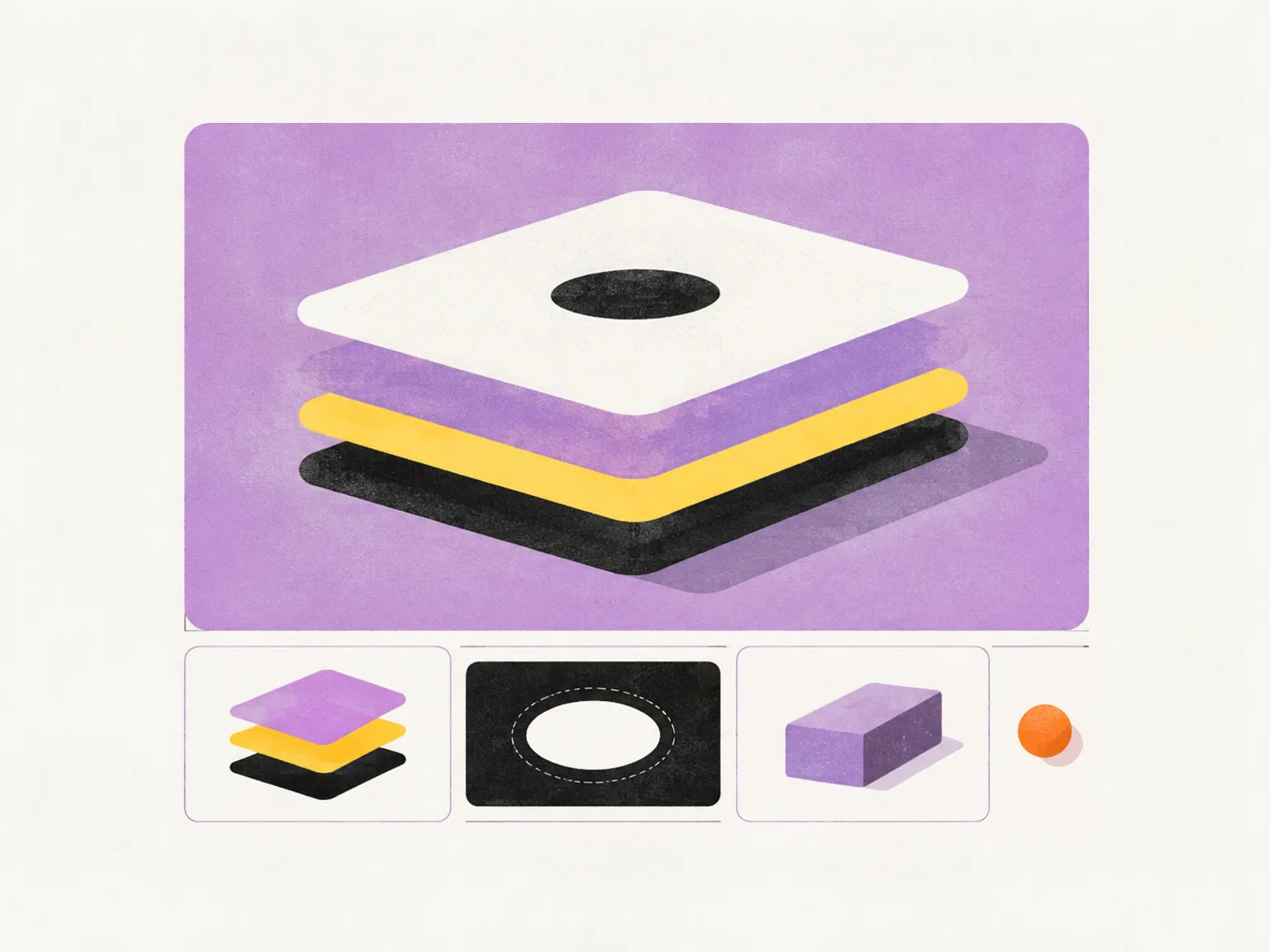
The picture above is the ladder as a shape rather than a type table: one plate owns the top, three smaller modules carry the second tier, and the only saturated mark on the page is the accent — spent once.
Spend one accent
The contrast budget is the other half of hierarchy. If three elements are allowed to max out contrast, none of them reads as primary.
- Pick one accent colour and let it mark one thing — the H1, or the single number that matters. Not both.
- Keep body text at a comfortable contrast rather than the maximum; maximum contrast belongs to the entry point.
- If the poster has a brand palette of four colours, three of them are ground and neutrals. The fourth is the accent.
This is also what makes a generated plate look designed rather than auto-filled. A model asked for “a colourful infographic” will distribute colour evenly; a plate with one accent has a direction.
Whitespace, order and ornament
Three rules that are cheap and almost always skipped:
Separate with space, not with frames. Hairline boxes around every block are the default shape of a flat poster. Space does the same job and keeps the eye moving.
Declare the reading order. Top to bottom is not enough on a poster with a map in the middle. Decide whether the eye enters at the headline, travels through the blocks, and lands on the evidence — then design the arrows implicitly, with alignment and scale.
Keep ornament out of the entry zone. A ring, a starburst or a decorative illustration placed next to the H1 steals the first look. Give the primary element a quiet margin of at least its own height on two sides, and put ornament at the edges or nowhere.
Leave the bottom third for reading
Posters hang at eye level, so the top is seen first and the bottom is where sustained reading happens. Put the headline in the top third, the argument through the middle, and the sources in a quieter band at the bottom.
A dense block pressed against the bottom edge disappears — cropped by the frame, or hidden by whoever is standing in front of the poster. A one-centimetre margin is not enough at A2; aim for at least 3% of the short edge on all four sides.
What to cut when there is too much
The proportional ladder is really a cutting tool. If one element has to own 55–65% of the page, everything else is competing for what is left, and most of a first draft loses that competition. In order, these are the things that go:
- Legends. Label the marks directly and the legend disappears. It is usually three to eight labels competing with the entry point for nothing.
- Repeated units. State the unit once, in the axis label or the headline; a “%” on every bar is noise read twice.
- Decorative icons. An icon next to every heading adds a second colour, a second shape language, and no information. Keep one only if it is doing the work of a label.
- The second chart of the same claim. If two charts say the same thing, the weaker one is 20–30% of the page spent on repetition.
- Frames around blocks. A box around every module is the most common way a poster turns grey; space separates just as clearly and costs nothing.
What survives the cut is the sentence you started with, its number, and the evidence that makes the number credible. Everything else is a preference.
Two posters, worked through
Two short examples, because the ladder reads differently depending on what the H1 is.
A statistic poster. The number takes the top third at five to eight times body size, its label sits directly under it in the same block, and the unit and date attach to the number rather than to a footnote. Below it, three blocks at 20–30% of the weight: what changed, over what period, and for whom. The source band at the bottom is the only place the type drops below body size.
The failure mode here is presenting a ratio as a single figure. If the claim is “one in four”, the poster is a two-part comparison, not a large “25%” — the reader has to be able to see the denominator.
A process poster. The H1 is the diagram itself, so the first and last nodes are the largest things on the page and the middle steps sit between them at reduced weight. Four to six nodes is the practical ceiling; a seven-step process on a poster becomes a paragraph with arrows. Each node carries a label of a few words and, if it needs a number, only the step count.
The failure mode here is equal nodes. A process drawn as six identical boxes has no start, no end and no argument — it is a list wearing arrows.
Design for the photograph
A large share of a poster’s life will be a phone photo: slightly askew, in mixed light, then posted. Two things survive that trip and two do not.
Survives: high contrast between text and ground, and blocks that are wide rather than tall — the crop is usually closer to landscape than the poster. Does not survive: hairline type, grey-on-grey charts, and detail tucked into corners.
The practical test is to photograph your own proof from two metres, in bad light, then look at it on a phone. Whatever you cannot read in that photo is not part of the poster.
A structure that works at A2
- Headline stating the claim, top third, the largest thing on the page.
- One hero figure immediately below it, at least three times body size.
- Three to five supporting blocks, each with a short label and one chart — equal margins, no boxes.
- A source band at the bottom, smaller and quieter than everything above it.
That structure fits a printed A2, a generated poster for social, and a slide, so the work can be reused instead of redrawn for each surface. It is also the structure the infographic designer Skill produces when you give it a claim and a format — the skill’s composition rules are the same list, written for a model instead of for you.
If you want the feed-sized version of this reasoning, read the format guide next. If you want to see what the generator does with this brief, start with what an AI infographic generator actually does.
How this post was made
Written by Alex Zhang, founder of NeoSpark. The proportional ladder and the four H1 types come from the composition rules and subject files in the infographic Skill, which were themselves distilled from an indexed reference set of editorial infographics; the “three distances” framing is our working summary rather than a standard. The photograph test is one we apply to our own proofs.