AI Product Video: How to Create Scroll-Stopping Product Demos in Minutes (2026)
Alex Zhang is the founder of NeoSpark, an AI-powered design platform helping creators and teams generate images, videos, and brand assets without design skills.
AI Product Video: How to Create Scroll-Stopping Product Demos in Minutes (2026)
Published: June 12, 2026 | Reading Time: 14 min | Level: E-commerce Operator / Product Marketer / SaaS Growth Lead
TL;DR: AI product videos let brands turn static product images into dynamic demo videos, 360° rotations, feature highlights, and comparison clips without expensive studios or editing suites. This guide covers the full AI product video workflow, from asset preparation to platform-specific export, with real results showing up to 40% conversion lifts and 85% production cost reductions.
Table of Contents
- Why AI Product Video Is a Conversion Game-Changer
- What Is an AI Product Video?
- Types of AI Product Videos
- The AI Product Video Workflow
- Platform-Specific Product Video Specs
- Script Formulas for Product Demo Videos
- Visual Techniques That Sell Products
- AI Voiceover, Captions, and Music
- Performance Optimization and A/B Testing
- Real Brand Case Studies
- Frequently Asked Questions
- Conclusion
- Related Resources
Why AI Product Video Is a Conversion Game-Changer
The Product Page Reality
Product pages with video consistently outperform pages with only static images. Shoppers retain 95% of a message when they watch it in video versus 10% when reading text. For e-commerce brands, product videos reduce return rates, increase time on page, and drive more add-to-cart actions.
| Product Page Element | Conversion Impact | Why It Works |
|---|---|---|
| Static images only | Baseline | Limited context, no motion |
| Single product video | +20-35% conversion | Demonstrates use and scale |
| Multiple product videos | +40-50% conversion | Covers features, setup, use cases |
| 360° product view | +27% conversion | Reduces uncertainty about details |
| User-generated video | +30% conversion | Builds trust through social proof |
| Comparison video | +25% conversion | Helps buyers justify purchase |
The Production Challenge
Traditionally, a single product demo video required studio booking, lighting setup, camera operators, editors, and motion designers. A professional product video could cost anywhere from $2,000 to $20,000 and take 2-6 weeks to deliver.
For brands with hundreds or thousands of SKUs, this is impossible to scale. AI product video tools solve the problem by generating motion, context, and narration from product photos or text descriptions.
| Metric | Traditional Product Video | AI Product Video |
|---|---|---|
| Cost per video | $2,000 - $20,000 | $10 - $150 |
| Production timeline | 2 - 6 weeks | 10 minutes - 2 hours |
| Variations per SKU | 1 - 3 | 10 - 100+ |
| Localization per market | Expensive re-shoot | Text/voice swap in minutes |
| Update for new feature | Full re-edit | Regenerate affected scenes |
| Scale to full catalog | Months or years | Weeks |
What Is an AI Product Video?
An AI product video is a demo, showcase, or explainer video for a product that is created or enhanced using artificial intelligence. AI can animate static product photos, generate 3D rotations, create lifestyle scenes, write scripts, synthesize voiceovers, and format the final video for any platform.
AI product videos are distinct from simple slideshows because they:
- Add motion and depth — Products rotate, open, assemble, or demonstrate functionality.
- Generate context — Show the product in realistic environments without physical staging.
- Scale across SKUs — Turn one product photo set into multiple video formats automatically.
- Adapt to platforms — Export square, vertical, and horizontal versions from one master.
- Personalize messaging — Create versions for different audiences, regions, or use cases.
Types of AI Product Videos
Product Demo Videos
Demo videos show the product in action. A skincare bottle dispenses serum onto a model’s hand. A backpack opens to reveal compartments. A software dashboard walks through a feature. AI can generate these motion sequences from product images and prompts.
360° Rotation Videos
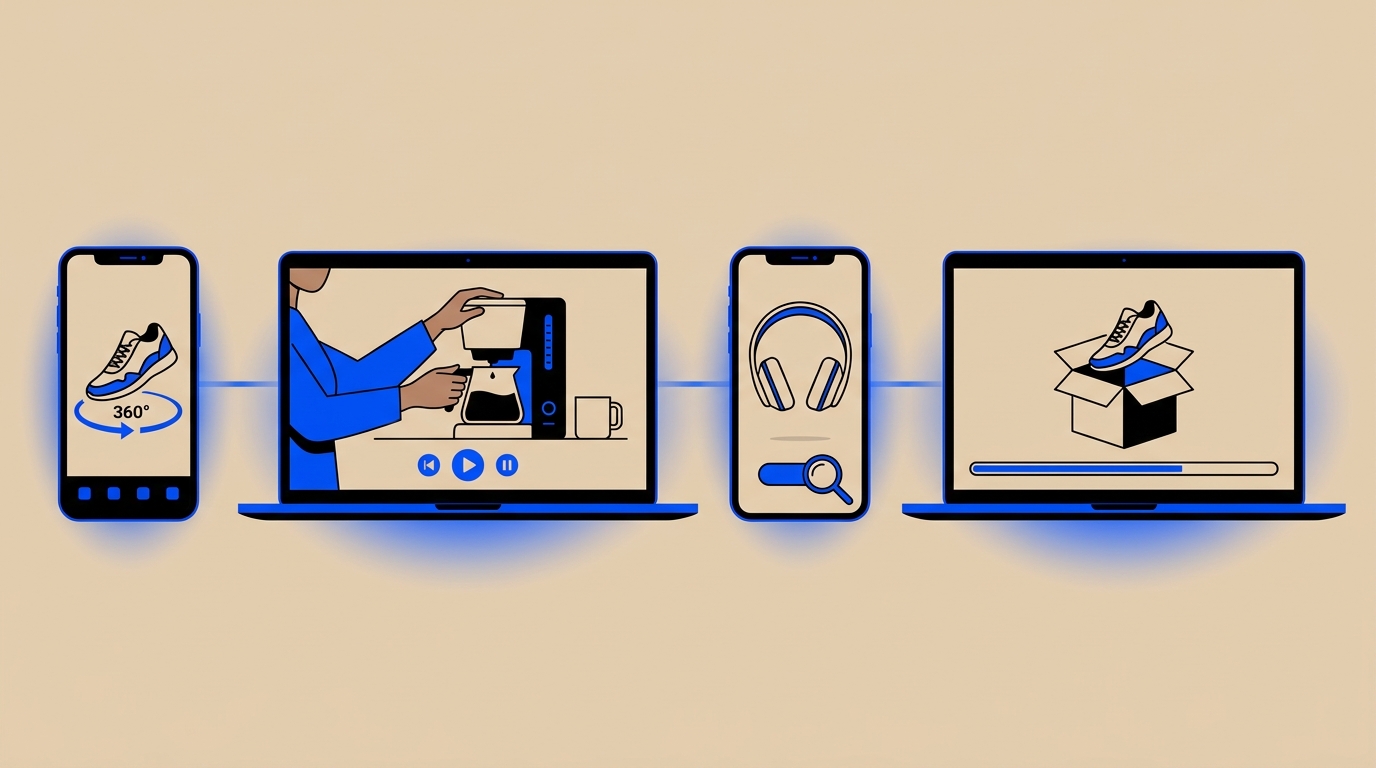
360° videos let shoppers inspect a product from every angle. AI can interpolate rotation from a small set of product photos, creating smooth spinning videos ideal for product pages and Amazon listings.
Unboxing and Setup Videos
Unboxing videos reduce purchase anxiety by showing exactly what customers receive. AI can generate animated unboxing sequences, package contents layouts, and step-by-step setup visuals.
Feature Highlight Videos
Feature highlight videos focus on one or two key selling points. AI can zoom into details, add callouts, and animate feature comparisons without manual After Effects work.
Lifestyle and Use-Case Videos
Lifestyle videos show the product in real-world settings. AI can place a product photo into a generated scene — a coffee maker on a marble counter, headphones on a commuter, fitness gear in a home gym — matching brand aesthetics instantly.
Comparison Videos
Comparison videos pit your product against alternatives or show before/after results. AI can generate split-screen layouts, specification callouts, and visual transformations.
The AI Product Video Workflow
Step 1: Prepare Product Assets
Start with clean product images. Ideally you need:
- White-background hero shot
- Side and back angles
- Detail or texture close-ups
- Lifestyle context shot (optional)
- Product dimensions or scale reference
Higher-quality inputs produce better AI-generated motion and context.
Step 2: Define the Video Objective
Every product video should have one primary goal:
| Objective | Best Video Type | Key Message |
|---|---|---|
| Increase product page conversion | Demo + lifestyle | ”This is how it works in your life” |
| Reduce returns | Unboxing + setup | ”Here is exactly what you get” |
| Launch new feature | Feature highlight | ”This new capability changes everything” |
| Win comparison shoppers | Comparison video | ”Why this beats the alternative” |
| Build trust | UGC-style demo | ”Real people love this product” |
Step 3: Generate the Script
Use AI to write a concise script. Product demo scripts should follow this structure:
Hook (0-3s): Show the product or the problem it solves
Feature 1 (3-10s): Demonstrate the primary benefit
Feature 2 (10-18s): Show a secondary advantage
Proof (18-25s): Add social proof, rating, or result
CTA (25-30s): Tell viewers what to do next
Step 4: Create Visual Sequences
Generate motion using AI video tools. Common sequences include:
- Product rotating on a clean background
- Camera moving around product details
- Product opening, unfolding, or assembling
- Product placed into a lifestyle scene
- Feature callouts appearing on screen
- Before/after transformation
Step 5: Add Voiceover, Captions, and Music
AI voiceover keeps costs low while sounding professional. Add burned-in captions because most product videos on social feeds are watched silently.
Step 6: Export for Platforms
Create platform-specific versions from one master video:
- 9:16 vertical for Reels, TikTok, Stories
- 1:1 square for feed posts
- 16:9 horizontal for YouTube, product pages, Amazon
Step 7: Test and Iterate
Deploy multiple versions and track which video drives the most conversions.
Platform-Specific Product Video Specs
| Platform | Aspect Ratio | Duration | Best Practices |
|---|---|---|---|
| Amazon Product Page | 16:9 | 15-60s | Show product in use, clear features, no unsubstantiated claims |
| Shopify Product Page | 16:9 or 9:16 | 15-60s | Autoplay muted, demonstrate value quickly |
| Instagram Reels | 9:16 | 15-30s | Lifestyle context, fast hook, product in action |
| TikTok | 9:16 | 15-30s | Native feel, transformation or unboxing hook |
| YouTube Ads | 16:9 | 15-30s | Clear branding, benefit-driven, strong CTA |
| Facebook Feed | 1:1 or 4:5 | 15-60s | Direct offer, broad appeal, captions |
| Google Shopping | 16:9 or 1:1 | 6-30s | Feature-focused, high production value |
| 1:1 or 16:9 | 15-30s | Problem-solution, data-driven, professional |
Amazon Product Video Requirements
Amazon has strict product video guidelines. AI-generated product videos should:
- Accurately represent the product
- Avoid exaggerated claims
- Include only claims supported by product detail page
- Not use before/after imagery for results
- Keep text minimal and legible
- Show the actual product, not only lifestyle renderings
Script Formulas for Product Demo Videos
The Feature-Benefit-Proof Script
Hook: "This is not just a backpack. It is a mobile office."
Feature 1: "Padded laptop compartment fits up to 16 inches."
Benefit 1: "Your gear stays protected on any commute."
Feature 2: "Hidden anti-theft pocket and USB charging port."
Benefit 2: "Stay connected and secure anywhere."
Proof: "Rated 4.8 stars by 12,000 commuters."
CTA: "Upgrade your carry today."
The Problem-Solution Script
Hook: "Tired of skincare products that sit on top of your skin?"
Problem: "Most serums never absorb deeply enough to work."
Solution: "Our vitamin C serum uses micro-delivery technology."
Demo: "See how it absorbs in seconds, not minutes."
Proof: "94% of users saw brighter skin in 2 weeks."
CTA: "Shop now and see the difference."
The Transformation Script
Before: "Messy cables. Slow charging. Dead battery anxiety."
Transition: "Meet the 3-in-1 wireless charging station."
After: "One device charges your phone, watch, and earbuds."
Demo: "Just place them down and power up."
CTA: "Simplify your setup today."
SaaS Product Demo Script
Hook: "Your team loses hours every week switching between tools."
Feature 1: "One dashboard connects your workflow."
Feature 2: "Automated reporting saves 10 hours per week."
Proof: "Over 5,000 teams cut project delays by 35%."
CTA: "Start your free trial."
Visual Techniques That Sell Products
Macro Detail Shots
Close-ups of texture, stitching, materials, and finishes signal quality. AI can generate macro-style shots that highlight craftsmanship without a macro lens.
Product-in-Context Scenes
Showing the product in a realistic environment helps shoppers imagine owning it. AI can place a product image into generated lifestyle backgrounds while matching lighting and perspective.
Exploded View Animations
For hardware and complex products, exploded views show internal components and build quality. AI can generate technical visualizations from product descriptions.
Before/After and Transformation
Before/after videos are powerful for beauty, cleaning, fitness, and home products. AI can create transformation sequences while maintaining realistic expectations.
Scale and Dimension Reference
Showing the product next to a familiar object reduces size uncertainty. AI can generate scenes with hands, models, or everyday objects for scale.
Motion and Assembly
Products that move, fold, expand, or assemble benefit from motion demos. AI can animate product photos to show functionality.
| Visual Technique | Best For | Expected Impact |
|---|---|---|
| Macro detail shots | Premium products, fashion, beauty | +20% perceived value |
| Product-in-context | Home goods, lifestyle brands | +25% engagement |
| Exploded views | Electronics, hardware, tools | +30% feature understanding |
| Before/after | Beauty, cleaning, fitness | +35% conversion |
| Scale reference | Furniture, accessories, gadgets | -15% returns |
| Motion/assembly | Complex or foldable products | +22% add-to-cart |
AI Voiceover, Captions, and Music
Voiceover Best Practices
- Match voice tone to product category (calm for skincare, energetic for gadgets)
- Keep pacing natural with pauses before key benefits
- Use region-appropriate accents for localization
- A/B test male vs. female voices for your audience
Captions Are Non-Negotiable
Up to 85% of social videos are watched without sound. Burned-in captions ensure your message lands regardless of audio state.
Music Selection by Product Category
| Product Category | Music Style | Energy |
|---|---|---|
| Beauty / Skincare | Soft, ambient, elegant | Low |
| Tech / Gadgets | Clean, modern, pulsing | Medium |
| Fitness / Sports | Driving, motivational | High |
| Home / Furniture | Warm, acoustic, calm | Low-Medium |
| SaaS / B2B | Minimal, corporate, confident | Low |
| Fashion / Apparel | Trendy, rhythmic, stylish | Medium-High |
Performance Optimization and A/B Testing
Metrics That Matter for Product Videos
| Metric | What It Tells You | Optimization Target |
|---|---|---|
| Play rate | Percentage of visitors who click play | 30%+ |
| Watch time | How much of the video people watch | 50%+ completion |
| Conversion lift | Incremental purchases from video viewers | 20%+ |
| Return rate | Products returned after watching video | Lower than baseline |
| Add-to-cart rate | Video impact on purchase intent | 15%+ lift |
| Engagement rate | Likes, shares, saves on social | Platform benchmark+ |
A/B Testing Framework
Test 1: Hook Variation Test opening 3 seconds: product shot vs. problem statement vs. result reveal.
Test 2: Video Length Test 15s, 30s, and 60s versions to find the optimal length for conversion.
Test 3: Voiceover vs. Text Only Some audiences respond better to silent captions; others prefer voiceover.
Test 4: Lifestyle vs. Studio Background Test product-only studio shots against lifestyle context scenes.
Test 5: CTA Variations Test “Shop now,” “Learn more,” “Add to cart,” and “See it in action.”
Real Brand Case Studies
Case Study 1: DTC Kitchenware Brand — +38% Product Page Conversion
Brand profile: 30-person company selling premium kitchen gadgets direct-to-consumer.
Challenge: Product pages relied on static images. Conversion rates were below category average, and customers frequently asked sizing and usage questions.
Solution: Created AI product demo videos showing each product in use, including scale references and feature callouts. Generated 9:16, 1:1, and 16:9 versions for product pages, ads, and social.
Results:
- Product page conversion: +38%
- Time on page: +52%
- Customer service inquiries: -28%
- Return rate: -12%
- Cost per product video: $35 vs. $3,500 traditional
Case Study 2: SaaS Platform — Trial Starts +65% with Product Demo Video
Company profile: B2B SaaS tool for marketing operations teams.
Challenge: The product had many features but prospects struggled to understand the value quickly. Demo bookings were high-friction and low-volume.
Solution: Created a 90-second AI product demo video showing the platform workflow, key integrations, and reporting outcomes. Used AI voiceover and captions.
Results:
- Landing page trial starts: +65%
- Demo booking requests: +40%
- Cost per qualified lead: -30%
- Sales cycle: shortened by 10%
The video allowed prospects to self-educate before talking to sales, improving lead quality and conversion velocity.
Frequently Asked Questions
What is an AI product video?
An AI product video is a demo, showcase, or explainer video for a product that is created or enhanced using artificial intelligence. AI can generate motion from static images, create lifestyle contexts, write scripts, produce voiceovers, and format videos for different platforms.
Can AI product videos replace traditional product photography?
AI product videos complement traditional photography. They are best for adding motion, context, and scale to existing product photos. For final e-commerce thumbnails and color-accurate product detail images, professional photography remains important.
How do I make an AI product video from product photos?
Upload your product photos to an AI video tool, write a prompt describing the desired motion and scene, and generate the video. Common sequences include 360° rotation, product opening, lifestyle placement, and feature callouts. Add voiceover, captions, and music, then export for your target platforms.
What makes a good AI product video?
A good AI product video clearly shows the product, demonstrates key benefits, includes social proof, and ends with a direct call to action. It should be concise, visually clean, and formatted for the platform where it will appear.
Are AI product videos allowed on Amazon?
Yes, Amazon allows product videos on listings as long as they comply with Amazon’s content guidelines. Videos must accurately represent the product, avoid unsubstantiated claims, and not include misleading before/after results.
How long should a product demo video be?
Most effective product demo videos are 15-60 seconds. Social media versions perform best at 15-30 seconds. Product page videos can be 30-60 seconds. SaaS explainers may run 60-90 seconds if the value proposition is complex.
What is the best AI product video tool?
For brands that need end-to-end AI product video creation — from photo animation and lifestyle scene generation to voiceover, captions, and platform export — NeoSpark provides a purpose-built workflow. It integrates product visualization, brand kit consistency, and multi-format export in one platform.
How much does AI product video production cost?
AI product videos typically cost $10 to $150 per finished video, compared to $2,000 to $20,000 for traditional production. Subscription-based tools reduce per-video cost further at scale.
Can AI product videos reduce return rates?
Yes. Product videos that accurately show size, features, and usage help customers make more informed purchase decisions. Brands using AI product demos often see return rates drop by 10-20%.
How do I maintain brand consistency across AI product videos?
Configure your brand kit with exact colors, fonts, logo placement, and approved photography style. Lock these into your AI workflow so every generated video follows the same guidelines. Review early outputs and refine prompts until they require minimal adjustment.
Conclusion
AI product videos are transforming how brands showcase their products online. What once required studios, crews, and weeks of editing can now be produced in minutes from existing product photos.
The key takeaways for product marketers are:
- Video sells more than images. Product videos consistently lift conversion and reduce returns.
- Motion answers questions. Demo videos eliminate sizing, usage, and feature uncertainty.
- AI makes video scalable. Generate dozens of versions per SKU without scaling production costs.
- Platform format matters. Export vertical, square, and horizontal versions from one master.
- Test relentlessly. Hooks, lengths, contexts, and CTAs all impact performance.
- Brand consistency is configurable. Invest in brand kit setup to scale quality.
Ready to create AI product videos that convert? Explore NeoSpark’s AI Design Tools and start turning your product photos into scroll-stopping demo videos for Amazon, Shopify, social ads, and landing pages.
Related Resources
- AI Marketing Video Guide — Scale video ads across platforms
- How to Make AI Videos — Beginner-friendly AI video creation
- AI Product Photography Guide — Capture product photos optimized for AI video
- Text-to-Video Complete Guide — Turn product descriptions into video
- Image-to-Video Complete Guide — Animate product images into motion
- Best Free AI Video Generators 2026 — Tool comparison for every budget
Author: Alex Zhang, Founder of NeoSpark Platform Last Updated: June 12, 2026 Sources: Wyzowl Video Marketing Statistics 2025, Amazon Seller Central Video Guidelines, HubSpot Product Marketing Report 2025, Statista E-commerce Video Report 2026, NeoSpark Product Video Performance Survey 2026