Fake Facebook Post Generator: Create Realistic Social Media Content for Marketing & Education
Fake Facebook Post Generator: Create Realistic Social Media Content for Marketing & Education
Want to create realistic Facebook post mockups for your marketing campaigns or training materials? A fake Facebook post generator is the professional tool you need to visualize social media content without publishing live posts.
In today’s digital marketing landscape, visualizing social media content before it goes live is essential. Whether you’re a social media manager presenting campaign concepts to clients, a marketing agency creating portfolio pieces, or an educator teaching social media best practices, fake Facebook post generators provide a safe, ethical way to create realistic mockups.
In this comprehensive guide, you’ll discover:
- What fake Facebook post generators are and how they work
- Legitimate use cases for creating fake Facebook posts
- Key features to look for in a post generator tool
- Best practices for ethical and legal usage
- How NeoSpark’s platform can streamline your social media workflow
Let’s explore how to leverage these powerful tools responsibly.
What Is a Fake Facebook Post Generator?
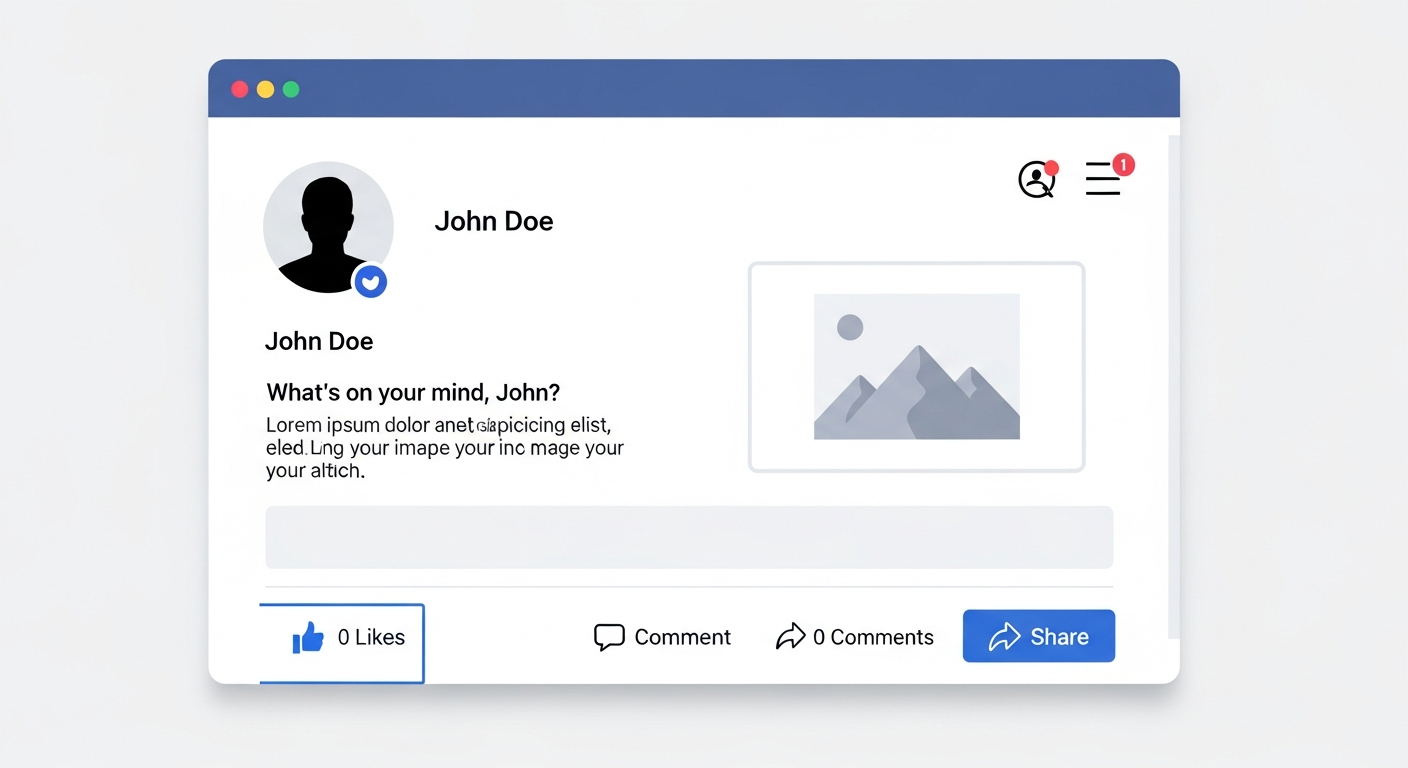
A fake Facebook post generator is a specialized tool that creates realistic-looking Facebook post mockups without actually publishing to the platform. These generators replicate Facebook’s interface design, including post layouts, reaction buttons, comment sections, and user profiles, allowing users to create convincing visual representations of social media content.
Key capabilities of fake post generators:
- Authentic Facebook interface replication
- Customizable user profiles and avatars
- Support for images, videos, and text content
- Engagement metrics customization (likes, comments, shares)
- Timestamp and privacy setting adjustments
- Mobile and desktop view simulation
Unlike malicious fake news creation tools, legitimate fake Facebook post generators are designed for professional marketing, education, and creative purposes. They include watermarks or disclaimers to prevent misuse and clearly distinguish generated content from real posts.
Legitimate Use Cases for Fake Facebook Post Generators
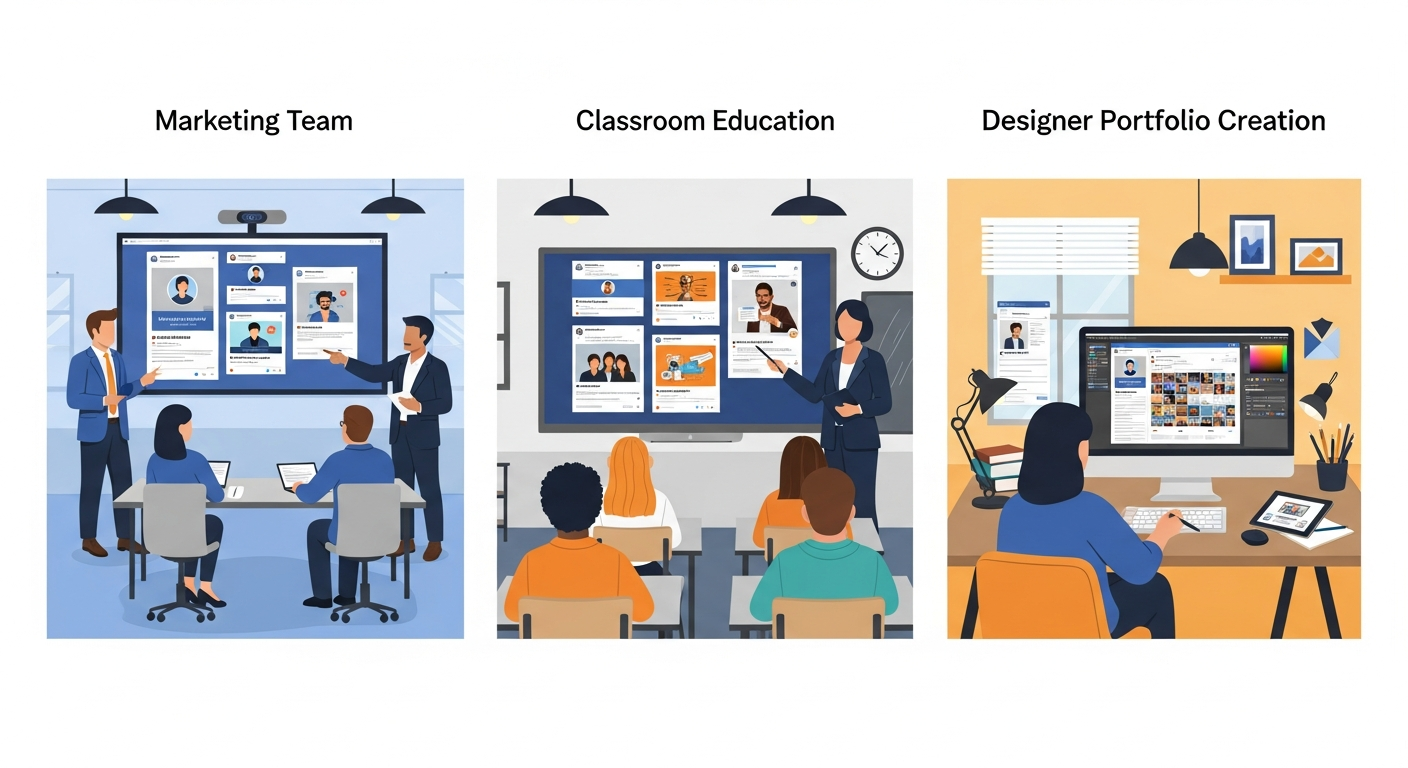
Marketing and Advertising
Campaign Visualization Marketing teams use fake post generators to visualize campaign concepts before launching live campaigns. This allows stakeholders to see exactly how content will appear in users’ feeds, ensuring optimal formatting and visual appeal.
Client Presentations Agencies create mockup posts to present social media strategies to clients. Showing realistic examples helps clients understand the creative direction and provides a tangible preview of proposed content.
A/B Testing Concepts Before investing in live campaign testing, marketers can create multiple variations of post designs to evaluate which layouts, headlines, and visuals resonate best with internal teams.
Education and Training
Social Media Literacy Training Educators use fake post generators to teach students how to identify misinformation and verify sources. By creating examples of misleading posts, instructors can help learners develop critical thinking skills.
Platform Navigation Training Organizations training employees on social media management can use mockups to demonstrate Facebook’s interface without requiring live accounts or risking accidental posts.
Crisis Communication Practice PR teams practice crisis response strategies by simulating negative comments and reviews in a controlled environment, preparing for real-world scenarios.
Content Creation and Portfolio Building
Designer Portfolios Graphic designers showcase their social media design skills by creating realistic post mockups for their portfolios, demonstrating how their designs appear in context.
Template Creation Content creators develop reusable post templates by creating mockups that can be easily customized for different campaigns and clients.
Influencer Collaboration Proposals Brands create mockup examples when proposing collaborations with influencers, showing exactly how co-branded content would appear.
How Fake Facebook Post Generators Work
Interface Replication Technology
Modern fake post generators use advanced web technologies to replicate Facebook’s interface with pixel-perfect accuracy:
CSS Framework Matching Generators analyze Facebook’s actual CSS styles, including fonts, colors, spacing, and responsive breakpoints, to ensure generated posts look identical to real ones.
Component-Based Architecture Post elements (headers, content areas, reaction bars, comment sections) are built as modular components that can be rearranged and customized while maintaining visual consistency.
Dynamic Rendering Advanced generators use JavaScript to dynamically render posts, allowing real-time preview as users edit content, similar to Facebook’s actual post creation experience.
Content Input and Customization
User Profile Simulation Users can customize:
- Profile names and usernames
- Profile pictures and cover photos
- Verified badge status
- Location and bio information
Post Content Options Generators typically support:
- Text posts with formatting options
- Single and carousel image posts
- Video posts with thumbnail selection
- Link previews with customizable metadata
- Check-ins and feeling/activity posts
Engagement Metrics Control Professional tools allow customization of:
- Like, love, and reaction counts
- Comment quantities and preview text
- Share counts
- View counts for videos
- Timestamp display
Key Features to Look for in a Fake Facebook Post Generator
Essential Features
| Feature | Description | Why It Matters |
|---|---|---|
| Mobile Responsive Design | Accurate mobile and desktop views | 98% of Facebook users access via mobile |
| High-Resolution Export | PNG, JPG, or PDF export options | Professional presentation quality |
| Customizable Engagement | Edit likes, comments, shares | Realistic campaign visualization |
| Multiple Post Types | Text, image, video, link support | Versatile content creation |
| Watermark/Disclaimer | Built-in usage indicators | Ethical compliance and transparency |
Advanced Features
Batch Generation Create multiple post variations simultaneously for comprehensive campaign mockups or A/B testing scenarios.
Team Collaboration Share mockups with team members, collect feedback, and iterate on designs within the platform.
Template Library Access pre-designed templates for common post types, saving time and ensuring professional results.
Brand Asset Integration Upload and store brand colors, fonts, and logos for consistent mockup creation across campaigns.
Comment Thread Simulation Create realistic comment conversations to demonstrate community engagement or practice response strategies.
Best Practices for Ethical and Legal Usage
Do’s and Don’ts
✅ DO:
- Use watermarked mockups clearly labeled as “SIMULATION” or “DRAFT”
- Obtain proper permissions when using real people’s names or images
- Educate others about the purpose and limitations of generated content
- Use for legitimate business, educational, or creative purposes
- Include disclaimers when sharing mockups publicly
❌ DON’T:
- Attempt to pass generated posts as real for deceptive purposes
- Create content that defames, harasses, or misrepresents real individuals
- Use generated posts to spread misinformation or fake news
- Remove watermarks or disclaimers intended to identify content as simulated
- Violate Facebook’s trademark or intellectual property rights in commercial contexts
Legal Considerations
Trademark Usage Facebook’s name, logo, and interface design are protected trademarks. While personal and educational use of mockups generally falls under fair use, commercial applications may require legal review.
Right of Publicity When creating mockups featuring real people (including celebrities or influencers), be aware of right of publicity laws that protect individuals from unauthorized commercial use of their likeness.
Defamation Risks Creating fake posts that appear to be from real people, especially with negative or controversial content, could expose you to defamation liability.
Ethical Guidelines
Transparency First Always be transparent about the simulated nature of generated content. When in doubt, add prominent labels indicating the content is not real.
Intent Matters Consider your intent: Are you using the tool to educate, create, and improve workflows? Or to deceive, manipulate, or harm? Ethical usage aligns with the former.
Impact Assessment Before creating and sharing mockups, consider the potential impact on viewers. Could someone mistake the content for real and make decisions based on false information?
Comparing Fake Facebook Post Generator Tools
| Tool | Best For | Key Features | Pricing |
|---|---|---|---|
| NeoSpark Platform | Professional marketing teams | Batch generation, brand assets, collaboration | Freemium |
| FakePostGenerator.com | Quick single posts | Simple interface, instant preview | Free |
| SocialMockup.io | Agency presentations | High-res exports, multiple platforms | Subscription |
| PostMockr | Educational use | Watermark options, comment threads | Free/Paid |
When to Choose Each Tool Type
Simple Online Generators Best for one-off mockups, quick demonstrations, or personal use. These tools prioritize speed and simplicity over advanced features.
Professional Platforms (like NeoSpark) Ideal for marketing teams, agencies, and businesses that regularly create social media mockups. Offer workflow integration, team features, and brand consistency tools.
Design Software Plugins Suitable for graphic designers who prefer working in familiar tools like Photoshop or Figma, with mockup capabilities as an add-on feature.
Step-by-Step Guide: Creating Your First Fake Facebook Post
Step 1: Define Your Purpose
Before creating a mockup, clearly define what you’re trying to achieve:
- Presenting a campaign concept to a client?
- Creating training materials?
- Building a design portfolio?
- Testing content formatting?
Step 2: Choose the Right Tool
Select a generator that matches your needs:
- For professional marketing: Use NeoSpark or similar comprehensive platforms
- For quick demonstrations: Use simple online generators
- For design portfolios: Use high-resolution export tools
Step 3: Set Up Your Profile
Configure the user profile for your mockup:
- Upload a profile picture (use royalty-free images or create avatars)
- Set the display name and username
- Add location or bio information if relevant
- Enable verified badge if simulating a public figure or brand
Step 4: Create Post Content
Develop your post content:
- Write compelling copy appropriate for your audience
- Select or create images that fit Facebook’s recommended dimensions (1200x630px for link previews, 1080x1080px for square posts)
- Add relevant hashtags and mentions
- Configure link previews if including URLs
Step 5: Customize Engagement Metrics
Set realistic engagement numbers:
- Research typical engagement rates for your industry
- Consider the account size (personal, small business, major brand)
- Adjust timestamps to show appropriate posting times
Step 6: Add Watermarks and Disclaimers
Before exporting:
- Enable any available watermark features
- Add text overlays indicating “SIMULATION” or “DRAFT” if not automatically included
- Prepare verbal disclaimers for presentations
Step 7: Export and Share
Export your mockup in the appropriate format:
- PNG for high-quality images
- PDF for presentation documents
- Embed codes for digital presentations
Integrating Fake Post Generators into Your Workflow
Marketing Agency Workflow
- Discovery Phase: Interview client and gather brand assets
- Strategy Development: Create 3-5 mockup variations showing different approaches
- Client Presentation: Present mockups with clear disclaimers about simulated content
- Feedback Collection: Gather client input on preferred direction
- Refinement: Iterate on selected concept
- Live Production: Create actual content based on approved mockups
Social Media Training Program
- Module Introduction: Explain the purpose of mockups in training
- Hands-On Practice: Have learners create posts following brand guidelines
- Peer Review: Students review each other’s mockups for quality and accuracy
- Real-World Application: Transition from mockups to actual platform practice
- Assessment: Evaluate understanding through mockup creation exercises
Frequently Asked Questions
Is using a fake Facebook post generator illegal?
Using fake post generators is not inherently illegal when done for legitimate purposes like marketing visualization, education, or creative projects. However, using generated content to deceive others, spread misinformation, or impersonate real people can violate laws related to fraud, defamation, or trademark infringement. Always use these tools ethically and transparently.
Can I use fake Facebook posts in client presentations?
Yes, fake Facebook posts are commonly used in client presentations to visualize social media campaigns. Best practices include:
- Clearly labeling content as “CONCEPT” or “MOCKUP”
- Including disclaimers in presentation materials
- Explaining that engagement numbers are simulated
- Obtaining client approval before using their brand in mockups
How realistic do fake Facebook post generators look?
Professional-grade generators create highly realistic mockups that closely replicate Facebook’s actual interface. However, subtle differences in font rendering, spacing, or interactive elements usually distinguish them from real posts upon close inspection. Most quality tools include watermarks or other indicators to prevent confusion.
Can I generate fake comments and reactions?
Many fake post generators allow you to customize engagement metrics including likes, reactions, comments, and shares. Some advanced tools even let you write custom comment text to simulate conversations. This feature is particularly useful for crisis communication training and demonstrating community engagement scenarios.
What’s the difference between fake post generators and fake news creators?
Fake post generators are professional tools designed for marketing, education, and creative purposes, typically including watermarks and disclaimers. Fake news creators are malicious tools designed to deceive and spread misinformation. The key difference is intent and transparency—legitimate tools are designed to be clearly identified as simulations.
Can I use real people’s photos in fake Facebook posts?
Using real people’s photos without permission raises legal and ethical concerns:
- Celebrities/Public Figures: Generally acceptable for commentary, education, or parody under fair use, but commercial use may require permissions
- Private Individuals: Always obtain explicit consent before using someone’s likeness
- Stock Photos: Use royalty-free images or generate AI avatars to avoid issues
How can I prevent my fake posts from being mistaken for real ones?
Best practices to prevent confusion:
- Use prominent watermarks indicating “SIMULATED” or “MOCKUP”
- Include disclaimers in accompanying text
- Use obviously fictional names for user profiles
- Avoid creating content that could be interpreted as official statements from real organizations
- Educate viewers about the simulated nature of the content
Conclusion
Fake Facebook post generators are valuable professional tools when used ethically and responsibly. From marketing visualization to educational training, these platforms enable creators to develop, test, and present social media content in a controlled environment.
The key to successful usage lies in transparency—always clearly identify generated content as simulated, respect intellectual property rights, and consider the potential impact on viewers. When used appropriately, fake post generators streamline workflows, improve creative outcomes, and enhance learning experiences.
As social media continues to evolve, the ability to visualize and test content before publication becomes increasingly valuable. Whether you’re a marketing professional, educator, or content creator, integrating fake Facebook post generators into your toolkit can significantly enhance your social media capabilities.
Ready to create professional Facebook post mockups for your next campaign? Visit NeoSpark today and discover our comprehensive fake Facebook post generator platform. With advanced customization options, team collaboration features, and high-resolution exports, NeoSpark provides everything you need to visualize your social media content with confidence.
Start creating realistic mockups today—your social media workflow will thank you.
Try It Yourself: Curated Prompts
Create engaging social media visuals with these prompts:
Social Media Graphics
- Social Media Template Set - Platform-ready content
- Notion-Styled Illustrations - Clean, modern visuals
- Sticker Set Design - Engaging visual elements
Marketing & Promotion
- Event Poster with Modular Text - Campaign announcements
- Coffee Poster - Product promotions
- Photo-Grid Tribute Poster - Community engagement
Brand Building
- Brand Visual Identity System - Consistent visual identity
- T-Shirt Design Collection - Merchandise marketing
- Product Packaging Design - Product showcase
Image Credits:
- Cover image: Fake Facebook Post Generator concept illustration - Generated with Google Imagen 4
- Post interface: Facebook post creation interface mockup visualization - Generated with Google Imagen 4
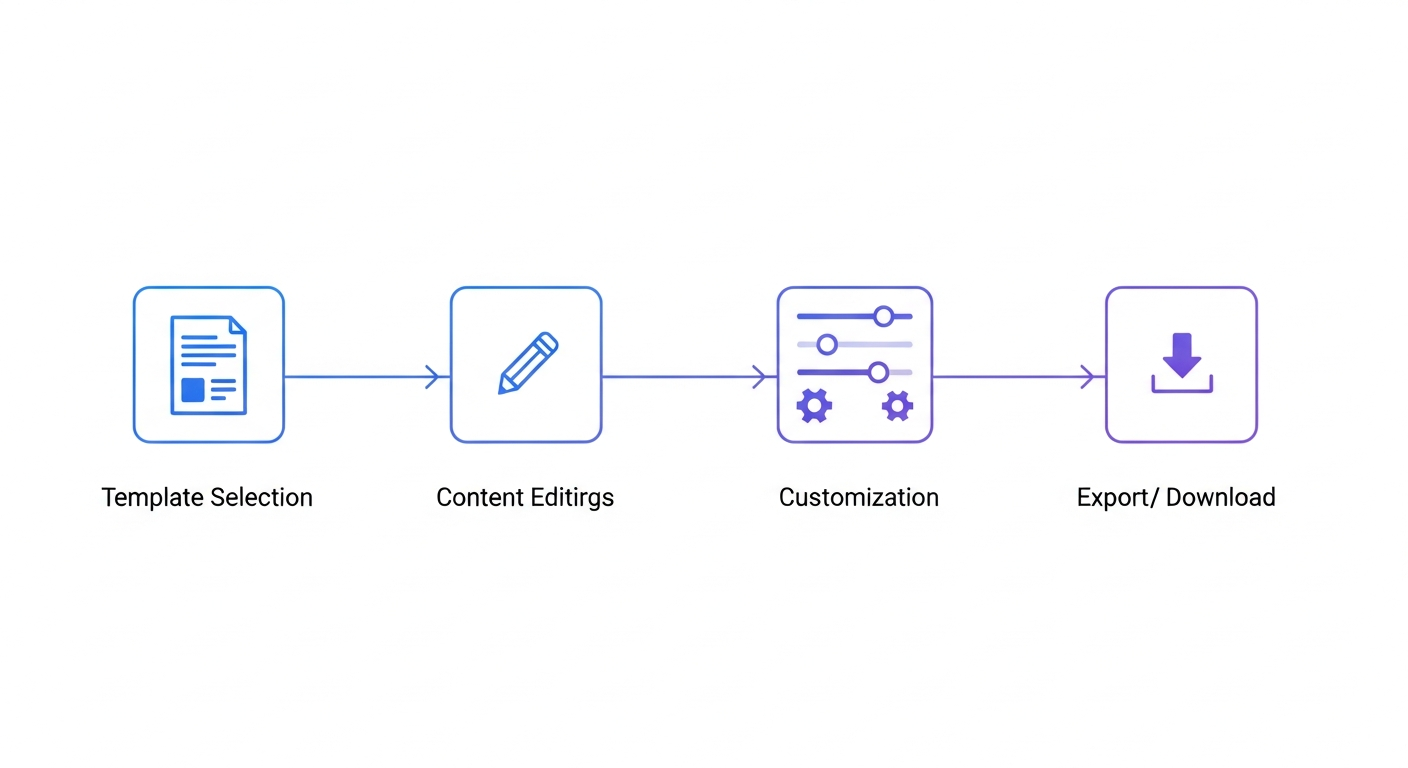
- Workflow: Professional content creation process illustration - Generated with Google Imagen 4
- Use cases: Marketing, education, and content creation scenarios - Generated with Google Imagen 4