How to Create 30 Days of Social Content in One Afternoon (Without Burning Out)
Alex Zhang is the founder of NeoSpark, an AI-powered design platform helping creators and teams generate images, videos, and brand assets without design skills.
How to Create 30 Days of Social Content in One Afternoon (Without Burning Out)
TL;DR: You do not need to post in real-time every day. The most productive social media managers batch-create an entire month of content in 3�C4 hours using a repeatable weekly theme framework, platform-optimized templates, and AI design tools like NeoSpark. This article gives you the exact framework, calendar template, and workflow to do it yourself.
Table of Contents
- Why Content Consistency Matters
- The 30-Day Content Framework
- Content Types by Platform
- AI-Powered Content Creation with NeoSpark
- Batch Creation Workflow
- Content Calendar Template
- Case Studies
- FAQ
- Conclusion: 6 Key Takeaways
- Related Resources
Why Content Consistency Matters
If you have ever abandoned a social account after three weeks of sporadic posting, you are not alone. Inconsistent publishing is the number-one reason branded accounts plateau. Algorithms reward regularity. Audiences build habits around your content. And your brand stays top-of-mind only when you show up reliably.
The data is unambiguous:
| Metric | Consistent Posters | Inconsistent Posters |
|---|---|---|
| Avg. engagement rate | 4.2% | 1.8% |
| Follower growth (monthly) | +8.5% | +1.2% |
| Conversion from social | 3.1x higher | Baseline |
| Time spent per week | 3�C4 hrs (batched) | 7�C10 hrs (reactive) |
Brands that post on a predictable schedule earn more trust, reach, and revenue. The catch? Most small teams do not have the time to create fresh posts daily. That is where batching changes the game. Instead of scrambling for ideas every morning, you dedicate one focused block to create 30 days of social content in a single session.
The 30-Day Content Framework
The secret to sustainable social media production is thematic weeks. When each week has a clear content mission, you eliminate decision fatigue and keep your feed varied yet cohesive.
Week 1: Educational Content
Your audience follows you because they believe you know something useful. Week 1 is about proving them right.
Goal: Build authority and saveable value.
Content pillars for Week 1:
- How-to carousels (3�C5 slides)
- Myth-busting Reels or Shorts
- Infographic posts with data
- Tip threads (X / LinkedIn)
- Industry explainers
Example posts:
- “5 mistakes small businesses make with Instagram captions”
- “How to read your analytics dashboard in 60 seconds”
- Carousel: “Color psychology in brand design”
Educational content gets saved and shared. It positions you as the expert before you ever ask for a sale.
Week 2: Engagement Content
Algorithms prioritize content that sparks conversations. Week 2 is engineered for comments, shares, and DMs.
Goal: Maximize reach through interaction.
Content pillars for Week 2:
- Polls and quizzes (Stories, LinkedIn, X)
- “This or that” comparison posts
- Fill-in-the-blank captions
- AMA prompts
- Trending audio / meme formats
- Controversial (but respectful) opinions
Example posts:
- “Instagram carousels or single-image posts �� which performs better for you?”
- “Unpopular opinion: Posting daily hurts more accounts than it helps.”
- Trending Reel format with your niche twist
Engagement content trains the algorithm to push your posts to a wider audience. It also builds community.
Week 3: Social Proof & UGC
People trust people more than they trust brands. Week 3 is your credibility week.
Goal: Convert skeptics into believers.
Content pillars for Week 3:
- Customer testimonials (screenshots or video)
- Before / after transformations
- User-generated content reposts
- Case study summaries
- Review roundups
- “Client win” celebrations
Example posts:
- Video testimonial from a happy customer
- Screenshot of a glowing review with a thank-you caption
- UGC repost: “Look what @customername created with our tool!”
Social proof reduces purchase anxiety. It shows real results from real people.
Week 4: Promotional & CTA
Now that you have delivered value, built engagement, and earned trust, you have permission to sell.
Goal: Drive conversions without feeling salesy.
Content pillars for Week 4:
- Product / service spotlights
- Limited-time offers
- Free resource downloads
- Webinar or event sign-ups
- Behind-the-scenes of your offer
- “Link in bio” reminder posts
Example posts:
- “Our May content template pack drops tomorrow �� here is a sneak peek”
- “3 ways our AI design tool saves you 5 hours a week”
- Flash sale graphic with countdown timer
Because you spent three weeks adding value, promotional content lands as helpful rather than pushy.
Content Types by Platform
Not every post works everywhere. Match your format to the platform’s native behavior.
| Platform | Best Content Types | Optimal Frequency | Key Specs |
|---|---|---|---|
| Carousels, Reels, Stories, single-image posts | 4�C7x / week | 1080x1350 (feed), 1080x1920 (Reels) | |
| TikTok | Short-form video, trends, tutorials, behind-the-scenes | 1�C3x / day | 1080x1920, 9:16 ratio, hook in first 3 sec |
| Text posts, document carousels, polls, articles | 3�C5x / week | 1200x627 (images), PDF carousels perform best | |
| Video, link previews, community posts, events | 3�C5x / week | 1200x630 (link images), native video preferred | |
| X (Twitter) | Threads, single tweets, polls, image cards | 1�C3x / day | 1600x900 (images), 280 chars or thread format |
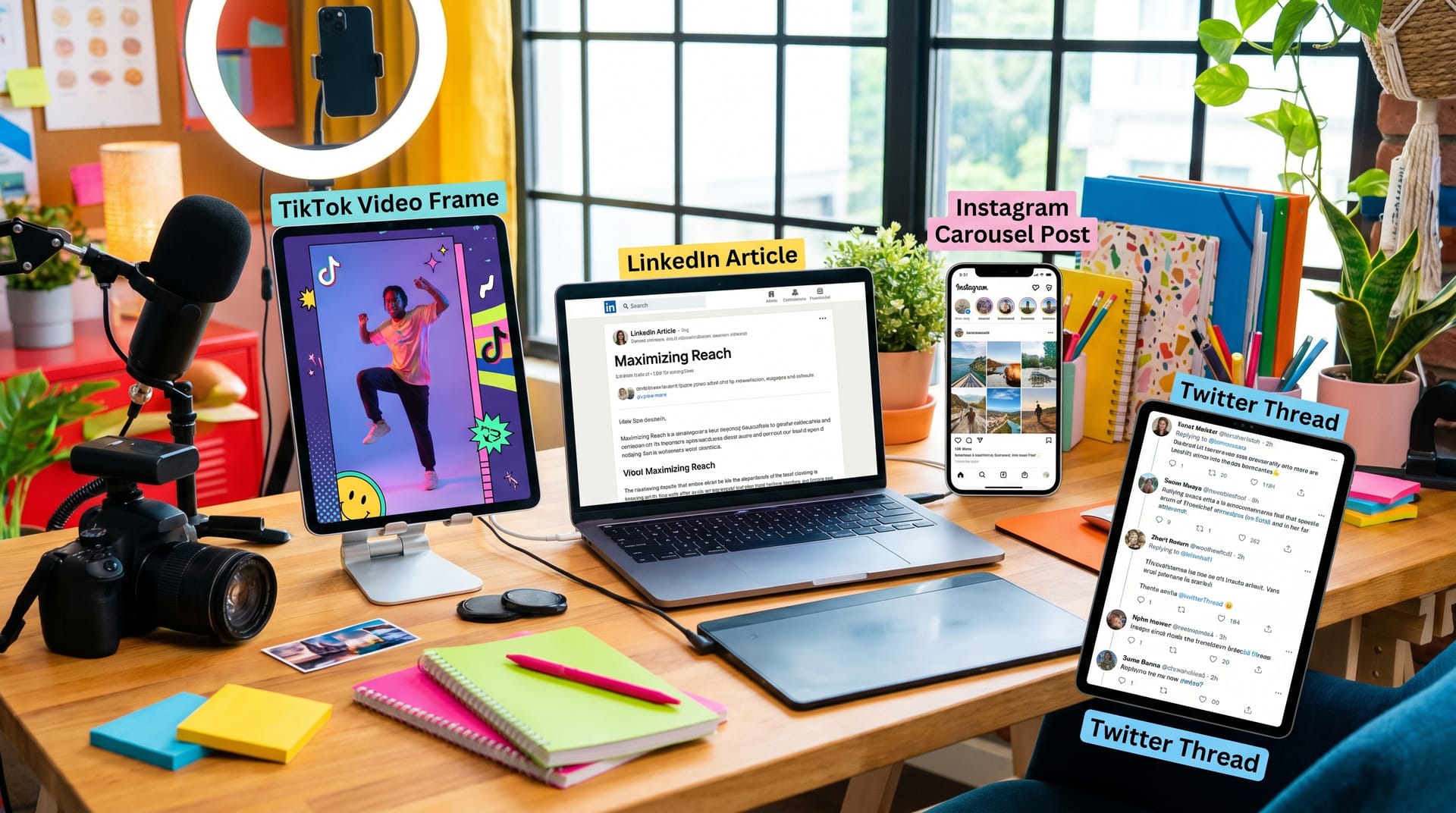
Pro tip: Design your core visual once in a tool like NeoSpark, then resize and reformat for each platform in minutes. One idea becomes five platform-native posts.
AI-Powered Content Creation with NeoSpark
Batching 30 days of social content used to require a designer, a copywriter, and a full day. Today, AI design platforms like NeoSpark compress that into a single afternoon.
Here is how NeoSpark fits into your workflow:
1. Generate on-brand visuals in seconds Type a prompt like “Instagram carousel about social media trends, modern gradient style, bold typography” and NeoSpark produces multiple layout options. No design skills required.
2. Maintain visual consistency Save your brand colors, fonts, and logo as a preset. Every asset NeoSpark generates stays on-brand automatically. Your feed looks cohesive even when you are creating 30 posts at once.
3. Resize for every platform Create once, export everywhere. NeoSpark auto-adjusts dimensions for Instagram, LinkedIn, Facebook, X, and TikTok. No manual cropping or stretching.
4. Built-in content templates NeoSpark includes pre-built templates for carousels, quote posts, promotional graphics, and story formats. Pick a template, swap in your copy, and export.
5. AI caption suggestions Stuck on copy? NeoSpark suggests captions, hashtags, and CTA variations based on your visual and target platform. You still control the voice, but you are never starting from a blank page.
For social media managers juggling five accounts, NeoSpark replaces the bottleneck of design requests and template hunting. You become a one-person content studio.
Batch Creation Workflow
Here is the exact step-by-step process to create 30 days of social content in one afternoon.
Step 1: Audit and Theme (15 minutes)
- Review last month’s top-performing posts
- Confirm your four weekly themes (Educational, Engagement, Social Proof, Promotional)
- Note any upcoming product launches, holidays, or campaigns
Step 2: Brainstorm 30 Ideas (30 minutes)
- Use a simple spreadsheet or Notion board
- Aim for 7�C8 ideas per week
- Tag each idea with its platform and format
Step 3: Write All Captions (45 minutes)
- Batch-write every caption in one sitting
- Use a consistent voice but vary the length and CTA
- Pre-write hashtag sets for each platform
Step 4: Design All Visuals (60�C90 minutes)
- Open NeoSpark
- Create your base templates (carousel, single image, story, promo)
- Generate or customize visuals for each post
- Export in platform-specific sizes
Step 5: Build the Calendar (20 minutes)
- Slot each post into your content calendar
- Balance high-effort and low-effort posts across the week
- Ensure no two promotional posts land back-to-back
Step 6: Schedule Everything (15 minutes)
- Upload to your scheduler (Later, Buffer, Hootsuite, or native)
- Set publishing times based on your audience’s peak activity
- Add reminders for real-time engagement (replies, Stories, DMs)
Total time: 3 hours 45 minutes.
You now have an entire month of content queued, on-brand, and ready to publish while you focus on strategy, community management, and growth.
Content Calendar Template
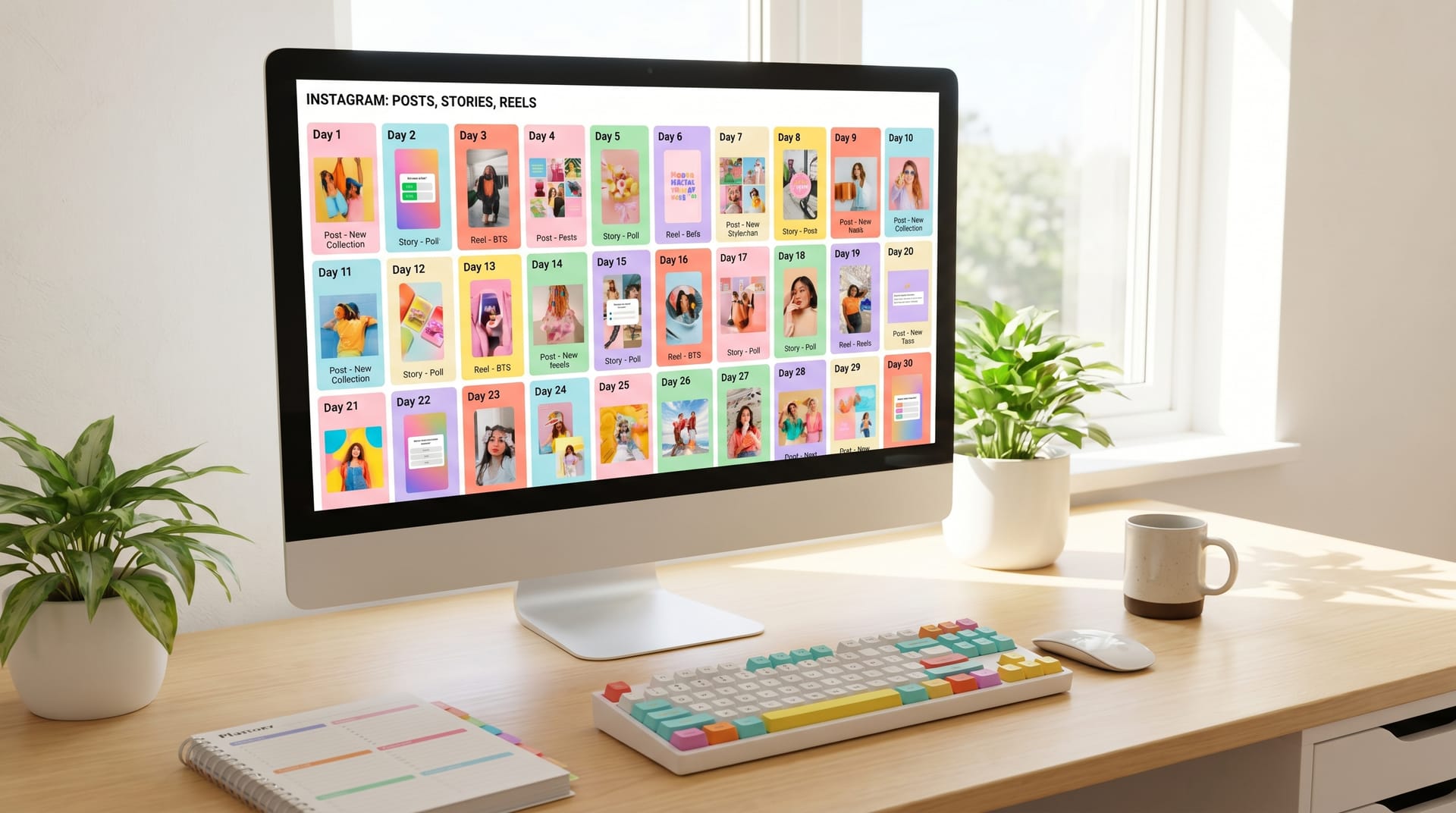
Below is an example week from a 30-day calendar for a small business marketing consultant.
| Day | Platform | Format | Theme | Topic |
|---|---|---|---|---|
| Monday | Carousel | Educational | 5 caption formulas that double engagement | |
| Tuesday | Text + Image | Educational | How I batch content for 4 clients in one day | |
| Wednesday | TikTok | Short Video | Engagement | POV: You finally batch your content |
| Thursday | Story Poll | Engagement | Poll: Carousels or Reels? | |
| Friday | X | Thread | Social Proof | How @clientname grew 10K followers in 90 days |
| Saturday | UGC Repost | Social Proof | Customer spotlight: @user's results | |
| Sunday | Document | Promotional | Free download: May content calendar template |
Repeat this structure across four weeks, adjusting topics to match your niche and business goals. Color-code by theme so you can visually audit variety at a glance.
Case Studies
Case Study 1: Bloom Botanicals �� From Sporadic to Strategic
The challenge: Bloom Botanicals, a 4-person skincare brand, was posting whenever inspiration struck. Their Instagram averaged 2 posts per week with minimal engagement. The founder was spending Sunday evenings stressed about Monday’s content.
The solution: They adopted the 30-day batching framework and used NeoSpark to generate on-brand product and educational visuals. Every first Monday of the month, they blocked 4 hours for content creation.
The results after 90 days:
- Posting frequency increased from 2x/week to 6x/week
- Average engagement rate rose from 1.1% to 4.7%
- Instagram follower count grew from 3,200 to 8,900
- Sunday evening stress disappeared entirely
“NeoSpark let us look like a brand with a full creative team. We batch everything on Monday mornings now, and the rest of the month we just engage with our community.” �� Maria Chen, Founder
Case Study 2: TechStart Consulting �� LinkedIn Thought Leadership at Scale
The challenge: TechStart’s founder wanted to build personal brand authority on LinkedIn but could not commit to daily posting. Previous attempts fizzled after two weeks.
The solution: Using the 30-day framework, he mapped four weeks of educational and social-proof content. NeoSpark generated document carousels and quote graphics that matched his professional brand. He scheduled posts for Tuesday, Thursday, and Sunday mornings.
The results after 60 days:
- LinkedIn profile views increased 340%
- Inbound consulting inquiries rose from 2/month to 11/month
- One document carousel reached 78,000 impressions
- Content creation time dropped from 8 hours/week to 3 hours/month
“The thematic weeks keep me focused. I know exactly what to write because I know what this week’s job is. The AI visuals save me from hunting for stock photos.” �� David Park, Founder
FAQ
How long does it really take to create 30 days of social content?
For most social media managers and small business marketers, the full batching process takes 3.5 to 4.5 hours. That includes brainstorming, caption writing, visual design, calendar setup, and scheduling. With practice and AI tools like NeoSpark, many users get it under 3 hours.
Do I need to be a designer to create professional-looking posts?
No. AI design tools like NeoSpark handle the visual heavy lifting. You describe what you want, and the platform generates polished, on-brand graphics. If you can write a sentence, you can create a professional social post.
What if something happens in the news and my scheduled post feels tone-deaf?
Always build in flexibility. Schedule your posts, but keep a “pause” habit. Check your scheduled content every morning for 60 seconds. If a major event makes a post inappropriate, pause it and slot in a saved backup post from your idea bank.
Should I post the same content on every platform?
No. Cross-posting identical content signals laziness to platform-savvy audiences. Instead, create one core idea and adapt it. A carousel becomes a thread on X. A Reel becomes a TikTok with a different hook. A testimonial becomes a LinkedIn case study. Same message, native format.
How do I come up with 30 fresh ideas every month?
You do not need 30 brand-new concepts. You need 8�C10 strong ideas, each expressed in multiple formats. One how-to topic can become a carousel, a Reel, a thread, and a story series. Repetition with variation is the secret.
Can I batch video content too, or just graphics?
You can batch both. For video, film multiple clips in one session using the same setup, lighting, and outfit. Edit them in batches using tools like CapCut or Descript. For graphics, NeoSpark batch-generates your static visuals in one go.
What is the best day to batch content?
Monday morning works best for most creators. You are fresh, you have perspective from the weekend, and you can ride the week’s momentum. Some managers prefer Friday afternoon to clear the deck before the weekend. Choose the time you can protect consistently.
Conclusion: 6 Key Takeaways
If you take one thing from this guide, let it be this: consistency beats perfection. A good post published reliably will outperform a brilliant post published randomly, every time.
Here are the six principles to remember:
-
Theme your weeks. Educational, Engagement, Social Proof, Promotional. The framework eliminates daily decision fatigue.
-
Match format to platform. A carousel crushes on Instagram but flops on X. Design natively for where you publish.
-
Use AI to remove bottlenecks. NeoSpark turns one person into a full creative studio. Generate, resize, and export in minutes.
-
Batch everything. Writing, designing, scheduling �� do them in separate focused blocks. Context switching kills productivity.
-
Build an idea bank. Keep a running list of 50+ topics. You will never face a blank page again.
-
Engage in real time. Scheduling saves creation time, but community management still requires a human touch. Reserve 15 minutes daily for replies, Stories, and DMs.
You now have the framework, the calendar, the workflow, and the tool. The only remaining step is to block your calendar for next Monday morning and create your first 30 days of social content.
Related Resources
- NeoSpark AI Design Tool �� Deep dive into high-performing carousel formats
- The Complete Social Media Image Size Guide 2026 �� Never guess dimensions again
- AI Design Tools for Marketers: 2026 Comparison �� How NeoSpark stacks against the competition
- Brand Consistency on Social Media �� Keep your visual identity tight across every platform
- Download: Free 30-Day Content Calendar Template �� The exact spreadsheet used in this guide
Ready to batch your next month of content? Try NeoSpark free and generate your first 30 social visuals this afternoon.