Social Media Content Calendar Template: The Complete 2026 Guide for Consistent Growth
Alex Zhang is the founder of NeoSpark, an AI-powered design platform helping creators and teams generate images, videos, and brand assets without design skills.
Social Media Content Calendar Template: The Complete 2026 Guide for Consistent Growth
TL;DR: A social media content calendar template is your roadmap to consistent posting, reduced stress, and measurable growth. This guide gives you a ready-to-use template, explains four calendar types, reveals a batch creation workflow, compares top tools, and shows how NeoSpark's AI can cut your planning time by 70%. Whether you manage one brand or twenty, you'll walk away with a system you can implement today.
Table of Contents
- Why You Need a Content Calendar
- Content Calendar Types
- The Perfect Content Calendar Template
- Content Pillars Strategy
- Batch Content Creation Workflow
- AI-Assisted Calendar Planning with NeoSpark
- Tools Comparison
- Measuring Calendar Effectiveness
- Case Studies
- FAQ
- Conclusion
- Related Resources
Why You Need a Content Calendar
Posting on social media without a plan is like driving without a GPS. You might reach your destination, but you’ll waste fuel, take wrong turns, and arrive stressed. A social media content calendar template eliminates guesswork and replaces chaos with clarity.
The data tells a compelling story:
| Metric | Without Calendar | With Calendar | Source |
|---|---|---|---|
| Posting Consistency | 2-3x per week (sporadic) | Daily across platforms | HubSpot, 2025 |
| Time Spent Weekly | 15+ hours | 5-7 hours | Sprout Social, 2025 |
| Engagement Rate | 1.2% average | 3.8% average | Hootsuite, 2025 |
| Content Approval Delays | 3-5 days average | Same-day approval | Content Marketing Institute |
| Team Alignment | 42% report miscommunication | 12% report miscommunication | Wrike, 2025 |
Beyond the numbers, a content calendar delivers three intangible benefits that transform how teams operate:
Strategic alignment. When everyone sees the big picture, individual posts stop being random acts of marketing and start building toward business goals. Your intern’s Instagram Story connects to your CEO’s quarterly revenue target.
Creative breathing room. Knowing what you’ll post next Tuesday frees mental bandwidth for crafting better captions today. Creativity thrives under structure, not pressure.
Crisis prevention. A calendar spots conflicts before they happen. No more accidentally posting a promotional tweet during a national tragedy or scheduling three product launches on the same day.
Content Calendar Types
Not all calendars serve the same purpose. The best social media managers use multiple calendar types simultaneously, each operating at a different altitude. Here are the four essential formats.
Weekly Calendar
The weekly calendar is your tactical command center. It shows exactly what posts go live each day, who creates them, and what assets are needed.
Best for: Content creators, community managers, and anyone executing the day-to-day work.
Typical view: Monday through Sunday with hourly or daily slots for each platform. Includes post copy, visual references, hashtags, and approval status.
Update frequency: Daily adjustments, weekly planning sessions.
A weekly calendar answers the question: “What are we posting today?” It lives in your project management tool and gets referenced multiple times per day. Without it, team members waste hours in Slack threads asking, “Did that LinkedIn post go out yet?”
Monthly Calendar
The monthly calendar provides strategic overview. It maps content themes to business priorities, ensures balanced coverage across topics, and identifies gaps before they become problems.
Best for: Marketing managers, content strategists, and stakeholders who need visibility without drowning in detail.
Typical view: Four-week grid showing content pillars, campaign periods, holidays, and key dates. Each cell contains the content theme rather than full post details.
Update frequency: Planned monthly, adjusted bi-weekly.
The monthly calendar answers: “Are we covering all our priorities this month?” It prevents the common trap of over-posting about product features while neglecting customer stories or educational content.
Quarterly Planning
Quarterly planning connects social media to business objectives. It identifies major campaigns, product launches, seasonal moments, and resource needs three months in advance.
Best for: Directors, VPs of marketing, and cross-functional teams who need to coordinate social with product, sales, and events.
Typical view: Three-month timeline with campaign blocks, resource allocation, and key milestones. Often presented in Gantt chart or roadmap format.
Update frequency: Planned quarterly, reviewed monthly.
Quarterly planning answers: “How does social media support our business goals this quarter?” It transforms social from a cost center into a strategic growth driver.
Campaign-Specific Calendar
Campaign calendars manage complex, multi-channel initiatives that span days or weeks. Product launches, event promotions, and partnership announcements all require dedicated calendars.
Best for: Campaign managers, product marketers, and agencies running integrated campaigns.
Typical view: Timeline from pre-launch through post-campaign, showing every touchpoint across organic social, paid social, email, and influencer channels.
Update frequency: Built per campaign, updated daily during active periods.
Campaign calendars answer: “Is every element of this launch coordinated?” They prevent the embarrassing misalignment of announcing a sale on Instagram before the website pricing updates.
The Perfect Content Calendar Template
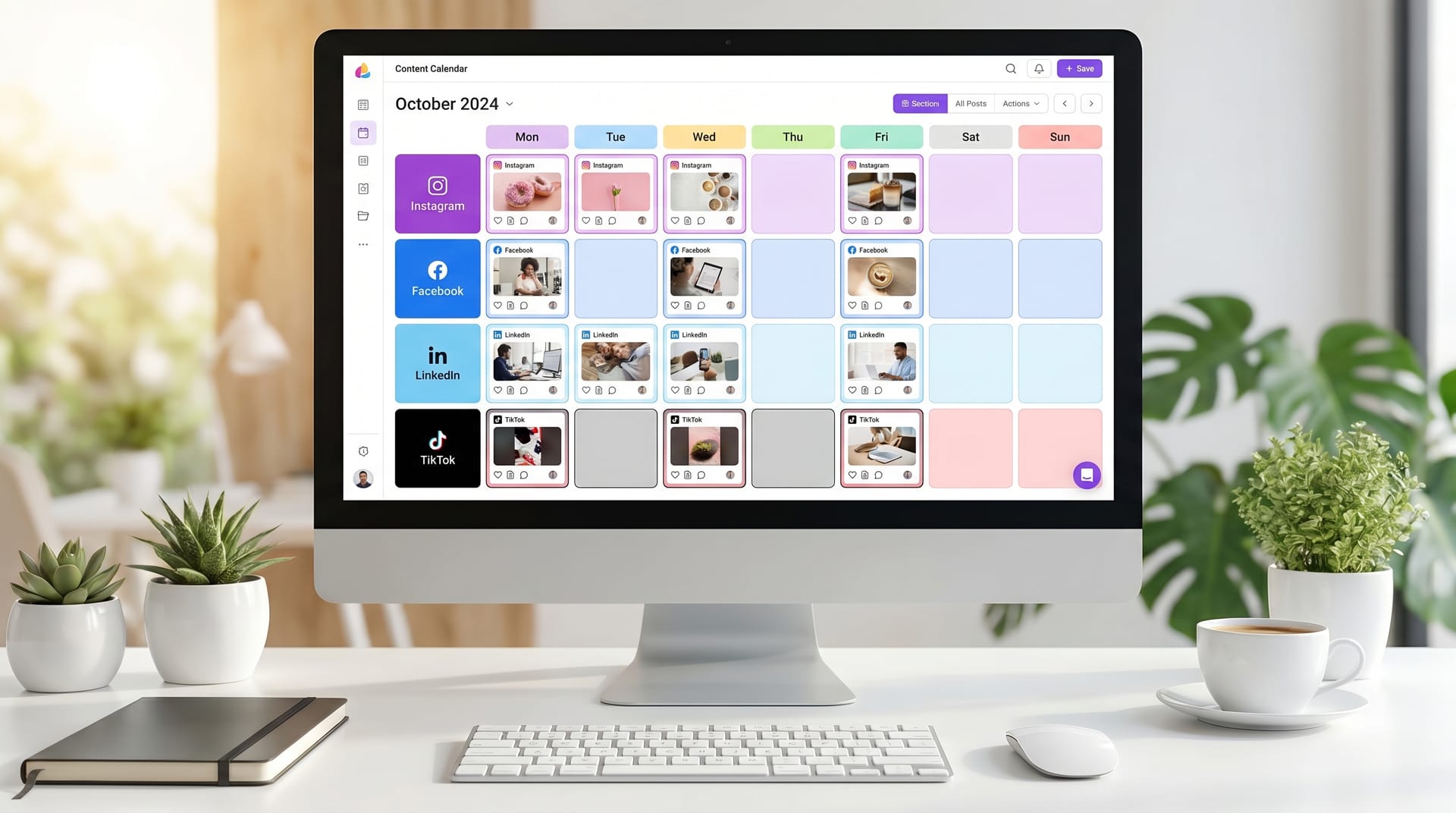
After managing content for dozens of brands, I’ve refined a template that works across industries and team sizes. Below is the core structure you can adapt to your workflow.
| Date | Platform | Content Type | Topic / Title | Status | Notes |
|---|---|---|---|---|---|
| May 12, 2026 | Carousel | 5 Productivity Hacks for Remote Teams | Approved | Use brand colors #0066cc, #ff6600 | |
| May 12, 2026 | Article | How We Scaled to 10K Users in 6 Months | In Review | Waiting for CEO quote | |
| May 13, 2026 | TikTok | Short Video | Behind the Scenes: Design Sprint | Draft | Film on Tuesday, edit Wednesday |
| May 14, 2026 | Twitter/X | Thread | Lessons from Our Failed Product Launch | Idea | High engagement potential - prioritize |
| May 15, 2026 | YouTube | Long Video | Complete Tutorial: Building Your First AI Workflow | In Production | Script approved, filming Friday |
| May 15, 2026 | Infographic | 2026 Social Media Image Sizes Cheat Sheet | Approved | Repurpose from blog post |
Status definitions to keep your team aligned:
- Idea - Concept only, not yet assigned
- Assigned - Creator confirmed, brief provided
- Draft - Content in creation
- In Review - Pending stakeholder approval
- Approved - Ready to schedule
- Scheduled - Loaded in publishing tool
- Published - Live on platform
- Archived - Completed, performance logged
Add columns for “Assigned To,” “Due Date,” “Asset Link,” and “Performance Notes” as your operation scales. The key is starting simple and expanding only when friction appears.
Content Pillars Strategy
A content calendar without pillars is just a schedule. Pillars give your calendar purpose. They ensure every post serves a strategic function and prevents the drift toward random, disconnected content.
Content pillars are 3-5 thematic buckets that encompass everything you publish. For a B2B SaaS company like NeoSpark, effective pillars might be:
- Product Education - Tutorials, feature deep-dives, use cases
- Industry Insights - Trends, research, thought leadership
- Customer Success - Case studies, testimonials, user-generated content
- Company Culture - Behind-the-scenes, team stories, values
- Community Engagement - Polls, questions, user spotlights, conversations
The 60-30-10 rule provides a healthy distribution:
- 60% educational and valuable content (pillars 1-2)
- 30% community and culture content (pillars 3-4)
- 10% promotional content (product announcements, offers)
Map your pillars across your monthly calendar before filling in specific posts. This visual check reveals imbalances instantly. If week three shows four promotional posts and zero educational content, you catch the problem before your audience unsubscribes.
For solopreneurs, simplify to three pillars: Teach (educate your audience), Connect (build relationships), and Promote (drive revenue). The same ratio applies.
Batch Content Creation Workflow
Batching transforms content creation from a daily emergency into a structured production process. Instead of creating one post at a time, you produce content in focused blocks.
The NeoSpark Batch Workflow:
Monday: Strategy & Planning (2 hours)
- Review last week’s performance data
- Confirm this week’s content themes
- Assign creators and set deadlines
- Source user-generated content and testimonials
Tuesday: Writing & Scripting (3 hours)
- Draft all captions for the week
- Write newsletter copy
- Script video content
- Create Twitter threads
Wednesday: Design & Production (4 hours)
- Design carousel graphics
- Edit video content
- Source and edit photography
- Create Stories and Reels
Thursday: Review & Approval (1 hour)
- Submit content for stakeholder review
- Make revisions
- Finalize scheduling
Friday: Schedule & Monitor (1 hour)
- Load content into publishing tool
- Set up monitoring alerts
- Prepare community management responses
- Document learnings for next week
Total time: 11 hours for a full week of content across 4-5 platforms.
Compare this to the reactive approach of creating each post the day it publishes. Batching eliminates context switching, which research shows can consume up to 40% of productive time. When you’re in “writing mode,” you write. When you’re in “design mode,” you design. Your brain adapts to each task instead of constantly recalibrating.
Protect your batch blocks fiercely. Turn off Slack notifications. Close your email. Treat these sessions like client meetings - non-negotiable and focused.
AI-Assisted Calendar Planning with NeoSpark
Artificial intelligence has transformed content planning from a manual, time-intensive process into a strategic, data-informed operation. NeoSpark’s AI design and planning tools specifically address the pain points social media managers face daily.
How NeoSpark enhances your calendar workflow:
1. AI Content Generation NeoSpark analyzes your brand voice, past performance data, and content pillars to generate draft captions, headlines, and post ideas. Input your topic and receive three variations optimized for different platforms. The AI learns from your edits, improving suggestions over time.
2. Visual Asset Creation Instead of waiting days for a designer, NeoSpark’s AI design engine generates on-brand graphics, carousel templates, and video thumbnails in minutes. Upload your brand guidelines once. The AI applies colors, fonts, and layouts consistently across every asset.
3. Smart Scheduling Recommendations NeoSpark analyzes your audience’s online behavior and engagement patterns to recommend optimal posting times. The system adjusts recommendations as algorithms change, ensuring your content reaches audiences when they’re actually listening.
4. Performance Prediction Before you publish, NeoSpark’s AI scores your content against historical performance data and predicts engagement levels. This allows you to refine weak posts before they go live rather than learning from failure after the fact.
5. Automated Reporting NeoSpark compiles weekly and monthly performance reports automatically, highlighting wins, identifying underperforming content types, and suggesting calendar adjustments. What once took three hours of spreadsheet work now completes while you sleep.
Real-world impact: Teams using NeoSpark’s AI-assisted planning report reducing content planning time from 15 hours weekly to 4-5 hours, while increasing posting frequency by 40% and engagement rates by 25%.
The AI doesn’t replace human creativity. It removes repetitive tasks so you can focus on strategy, storytelling, and community building - the work that actually moves the needle.
Tools Comparison
Choosing the right tool depends on your team size, budget, and complexity needs. Here’s how the major options compare for calendar management.
| Feature | Spreadsheet | Trello | Notion | Later | Hootsuite |
|---|---|---|---|---|---|
| Price (Monthly) | Free | $5-17.50/user | Free-$15/user | $0-80 | $99-739 |
| Calendar View | Manual grid | Board + Calendar power-up | Flexible database views | Visual drag-and-drop | Multi-column planner |
| Direct Publishing | No | No | No | Yes (major platforms) | Yes (all major + some niche) |
| Collaboration | Basic comments | Excellent (card-based) | Excellent (wiki-style) | Good (approval workflows) | Good (team assignments) |
| Analytics | Manual only | None built-in | Basic (with integrations) | Good (platform-specific) | Excellent (comprehensive) |
| Best For | Solo creators, tight budgets | Visual thinkers, agile teams | Documentation-heavy teams | Visual-first brands, Instagram/TikTok | Enterprise, multi-brand management |
| Learning Curve | None | Low | Medium | Low | Medium-High |
My recommendation: Start with a spreadsheet or Notion if you’re a solopreneur or small team. Upgrade to Later when visual content dominates your strategy. Choose Hootsuite when you’re managing multiple brands with complex approval chains. Use Trello when your team already lives in Agile workflows.
Many teams use a hybrid approach: Notion for quarterly planning and content repository, Later for visual scheduling, and NeoSpark for AI-powered asset creation and performance analysis.
Measuring Calendar Effectiveness
A calendar is only valuable if it produces results. Track these metrics monthly to ensure your planning system drives growth, not just organization.
Efficiency Metrics:
- Planning time per week - Target under 8 hours for a full content program
- Approval cycle time - Measure from draft submission to final approval
- Missed post rate - Percentage of scheduled posts that don’t publish on time
- Content reuse rate - How often you repurpose existing assets (higher is better)
Performance Metrics:
- Posting consistency score - Days per week you publish vs. target
- Engagement rate trend - Month-over-month change in likes, comments, shares
- Traffic from social - Website visits attributed to social channels
- Lead generation - Form fills, demo requests, or sales from social content
Quality Metrics:
- Content pillar balance - Percentage distribution across your pillars
- Audience growth rate - Net new followers per platform per month
- Sentiment analysis - Positive vs. negative comment ratio
- Share of voice - Your brand mentions vs. competitors in your category
Review these metrics in a monthly “Calendar Retrospective” meeting. Ask three questions:
- What content performed best and why?
- Where did our calendar fail us this month?
- What will we change next month based on these learnings?
Document your answers. Over six months, you’ll build a playbook of what works specifically for your audience and industry. That institutional knowledge is more valuable than any template.
Case Studies
Case Study 1: Bloom Botanicals (E-commerce, 3-Person Team)
Bloom Botanicals, a sustainable skincare brand, struggled with inconsistent posting and last-minute content scrambles. Their Instagram grid looked disjointed, and engagement had plateaued at 1.8%.
The challenge: The founder handled all social media alongside product development and customer service. Content was created reactively, often at 10 PM the night before posting.
The solution: They implemented the batch workflow using a simple Google Sheets calendar template. They defined four content pillars: Ingredients Education, Customer Routines, Sustainability Practices, and Product Spotlights. They dedicated every Tuesday morning to content creation and used NeoSpark’s AI design tool to generate on-brand graphics.
The results after 90 days:
- Posting consistency improved from 3x weekly to daily across Instagram and TikTok
- Average engagement rate increased from 1.8% to 4.2%
- Time spent on social media decreased from 12 hours weekly to 6 hours
- Instagram follower growth accelerated from 200/month to 1,200/month
- Website traffic from social increased 340%
Key insight: The founder reported that having a calendar eliminated decision fatigue. “I used to spend 30 minutes every morning deciding what to post. Now I just execute the plan. That mental freedom is worth more than the time savings.”
Case Study 2: TechForward Consulting (B2B Services, 12-Person Marketing Team)
TechForward, an IT consultancy, had the opposite problem. They produced plenty of content but lacked strategic coordination. LinkedIn posts contradicted email campaigns. Sales teams weren’t informed of upcoming content. The marketing director described it as “organized chaos.”
The challenge: Multiple team members created content independently without a central source of truth. The monthly newsletter announced a service that the social team hadn’t mentioned. A webinar promotion started on LinkedIn before the registration page existed.
The solution: They implemented a quarterly planning calendar in Notion, visible to all departments. They added a campaign-specific calendar format for major initiatives. They established a weekly 30-minute “calendar sync” meeting where sales, product, and marketing aligned on upcoming content. They integrated NeoSpark for AI-generated LinkedIn articles and performance tracking.
The results after 6 months:
- Cross-channel campaign alignment reached 95% (from 60%)
- Sales team reported 40% more qualified leads citing social content
- Content approval time dropped from 5 days to 24 hours
- Employee advocacy participation increased from 3 employees to 19
- LinkedIn follower count grew from 4,200 to 18,500
Key insight: The marketing director noted that the calendar became a communication tool, not just a scheduling tool. “Sales now checks the calendar before making client promises. Product references our content themes in their roadmap discussions. The calendar created alignment we didn’t know we were missing.”
FAQ
What is a social media content calendar template?
A social media content calendar template is a pre-structured document or spreadsheet that helps you plan, organize, and schedule your social media posts in advance. It typically includes columns for dates, platforms, content types, topics, status, and notes. Using a template ensures consistency, reduces last-minute stress, and aligns your content with business goals.
How far in advance should I plan my social media content?
Most successful teams plan on three horizons simultaneously: quarterly for strategic themes and campaigns, monthly for content pillar distribution and major dates, and weekly for specific posts and real-time adjustments. As a minimum, maintain a two-week rolling calendar so you’re never creating content the day it publishes.
Can I use a free tool for my content calendar?
Absolutely. Google Sheets and Notion both offer robust free plans that work well for content calendars. Many solopreneurs and small teams thrive on these tools for years. The key isn’t the tool - it’s the discipline of using it consistently. Upgrade to paid tools when your team size or workflow complexity outgrows free features.
How do I balance promotional and non-promotional content?
Follow the 60-30-10 rule: 60% educational and valuable content, 30% community and culture content, and 10% promotional content. Before scheduling any promotional post, ensure you’ve published at least six non-promotional posts since your last sales message. Your audience follows you for value, not advertisements.
What should I do when my calendar doesn’t perform as expected?
First, distinguish between a calendar problem and a content problem. A well-executed calendar of weak content still fails. If content quality is strong, examine your timing, platform selection, and audience alignment. Use your monthly retrospective to identify patterns. Adjust pillar distribution, posting times, or content formats based on data, not assumptions.
How can AI help with content calendar management?
AI tools like NeoSpark accelerate content calendar management by generating draft copy, creating visual assets, recommending optimal posting times, predicting content performance, and automating performance reports. AI reduces repetitive tasks by 60-70%, freeing human creators for strategy and community engagement. The technology augments human creativity rather than replacing it.
Should my content calendar include paid social campaigns?
Yes, integrate organic and paid content in a single calendar view. This prevents messaging conflicts and ensures your paid campaigns amplify organic content themes rather than operating in isolation. Use color coding or separate tabs to distinguish organic posts from paid promotions while maintaining the unified timeline.
Conclusion
A social media content calendar template is not a luxury for organized marketers - it’s a necessity for anyone serious about growth. The difference between brands that thrive on social media and those that merely exist often comes down to one factor: planning.
6 Key Takeaways
-
Start with strategy, not software. Define your content pillars and posting goals before choosing tools. The best calendar app cannot compensate for unclear objectives.
-
Use multiple calendar types. Combine quarterly roadmaps, monthly theme calendars, and weekly execution calendars for complete visibility at every altitude.
-
Batch your creation. Dedicate specific days to writing, designing, and reviewing. Context switching destroys productivity. Protect your focus blocks aggressively.
-
Embrace AI assistance. Tools like NeoSpark eliminate repetitive tasks and provide data-informed recommendations. Let technology handle execution so you can focus on strategy and creativity.
-
Measure what matters. Track efficiency, performance, and quality metrics monthly. Use retrospectives to build institutional knowledge about what works for your specific audience.
-
Iterate relentlessly. Your first calendar won’t be perfect. Your tenth version will be dramatically better. Treat your calendar as a living system that evolves with your business.
The social media content calendar template in this guide gives you a proven starting point. Adapt it. Expand it. Make it yours. But most importantly, use it. The brands winning on social media in 2026 are not the ones with the biggest budgets or the flashiest content. They’re the ones who show up consistently, with purpose, because they planned to be there.
Related Resources
- NeoSpark AI Design Tools - Generate on-brand social media graphics in minutes
- Content Strategy Guide - Build a comprehensive content strategy from scratch
- Social Media Image Sizes 2026 - Always-updated cheat sheet for every platform
- AI Writing Assistant - Draft captions, headlines, and long-form content with AI
- Brand Kit Builder - Maintain visual consistency across all social channels
- Performance Analytics Dashboard - Track and optimize your social media ROI
Ready to transform your social media workflow? Start your free NeoSpark trial and create your first AI-powered content calendar today.