3D Clay Style Year-End Summary Poster Generator
A highly detailed, structured prompt for generating a visually impactful 3D year-end summary poster (like a ChatGPT summary) based on an uploaded screenshot of user data. The style is fixed: 3D clay/soft plastic texture (like a 'blind box toy'), high saturation colors, and a clear, magazine-like layout. The core visual is a tightly packed clay sphere composed of data bubbles, themed icons, and miniature architectural elements representing chat categories.
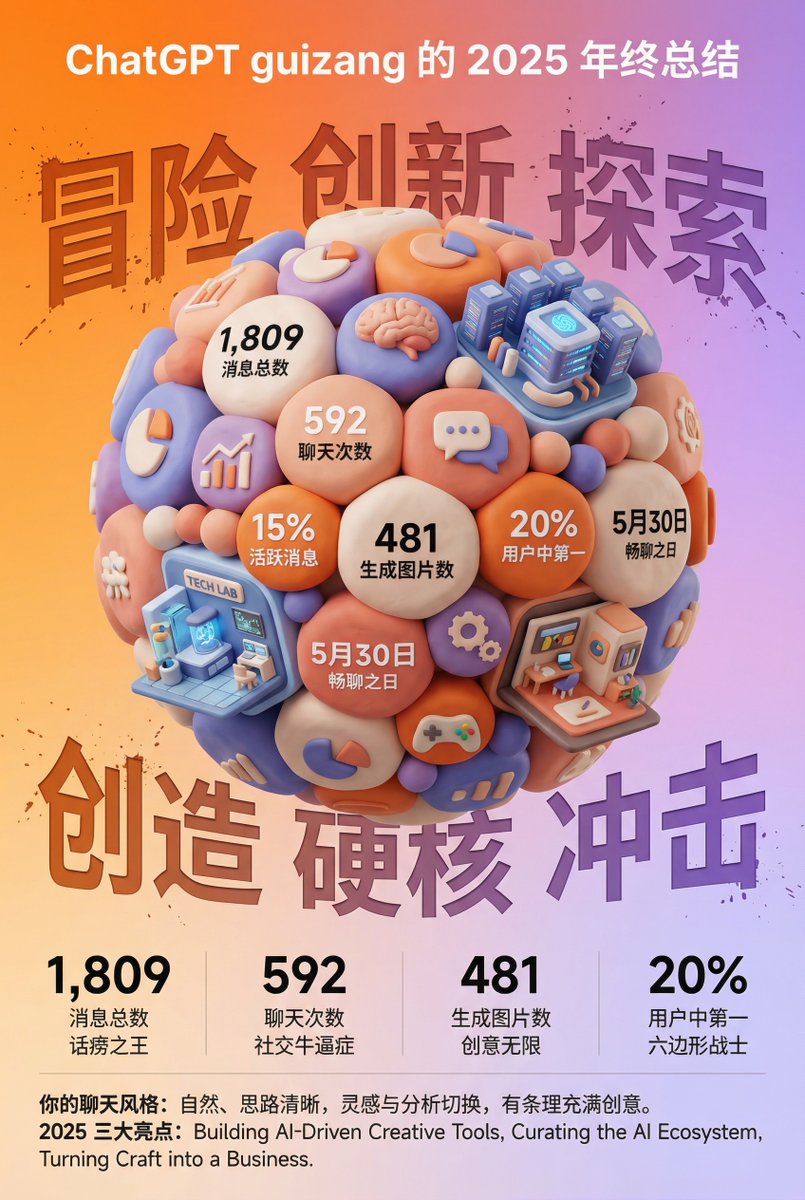
Generated result using this prompt
The Prompt
Task Goal:
Based on the data and information in the year-end summary screenshot uploaded by the user, design a 3D year-end summary poster with a distinct style and strong visual impact, username {argument name="Username" default="[guizang]"}

Overall Style and Mood (Fixed Style):
Core Style: Blending 3D trends, gamification elements, and high-saturation colors.
Material Feel: The main body of the image presents exquisite clay or soft plastic material rendering, with rounded edges and soft light and shadow, giving a friendly 'blind box toy' feel.

Layout Sense: The overall layout should resemble a refined, high-end magazine, well-spaced, with clear information architecture. Text layout should be concise and clear, without adding any decorative backgrounds like cards, capsules, or bottom frames.

Main Visual (Core Visual):
The visual center is a massive, tightly stacked Q-version 3D clay sphere. The elements composing the sphere need to be dynamically generated based on the specific content in the user's uploaded screenshot:

Data Bubbles: Key numbers and corresponding labels extracted from the screenshot (e.g., total messages, chat times, images generated, activity ranking, etc.) are made into rounded clay data bubbles embedded in the sphere.

Theme Icons: Based on the user's interests reflected in the screenshot, add corresponding general clay icons (e.g., game controller, brain, chart, chat bubble, etc.).

Category Buildings (Core Requirement): Analyze the focus of the content in the screenshot and integrate several exquisite miniature clay buildings representing different chat categories into the sphere. For example:
If it includes AI/technology content, incorporate a futuristic data center building with a sense of technology.
If it includes gaming content, incorporate a pixel-style game castle.
If it includes creative/art content, incorporate a miniature art studio.
Combination Method: All these elements (bubbles, icons, buildings) must be very tightly and harmoniously squeezed together, seamlessly forming a perfect sphere, without revealing the internal structure.

Background Design (Fixed Frame):
Base Color: Use a high-saturation gradient background from warm orange to soft purple (referencing previous style).

Background Text: Behind the sphere, place six massive Chinese characters with splatter texture and reverse etching effects. The themes can be "Adventure Innovation Exploration" (top row) and "Creation Hardcore Impact" (bottom row), partially obscured by the sphere to add a street-style hardcore feel.

Information Architecture and Layout (Content Extracted from Screenshot):
Top (Header): Place the white ChatGPT Logo and generate a title based on the screenshot information, formatted as: "[{argument name="Username" default="Username extracted from screenshot"}]'s [Year] Year-End Summary".

Bottom Data Area (Data Grid): Below the sphere, create a minimalist 2x2 pure text data grid. Select the 4 most core data points from the screenshot, use an extra-bold sans-serif font to display the large numbers, and accompany them with corresponding text labels and interesting social attribute phrases (e.g., "Social Superstar," "Chatterbox," "Hexagonal Warrior," etc., generated based on data characteristics).
Footer Summary (Footer): Typeset two paragraphs of text in small font at the very bottom, with content extracted directly from the summary paragraphs in the user's screenshot (such as "Your Chat Style" and "Annual Highlights").
About This Prompt
A highly detailed, structured prompt for generating a visually impactful 3D year-end summary poster (like a ChatGPT summary) based on an uploaded screenshot of user data. The style is fixed: 3D clay/soft plastic texture (like a ‘blind box toy’), high saturation colors, and a clear, magazine-like layout. The core visual is a tightly packed clay sphere composed of data bubbles, themed icons, and miniature architectural elements representing chat categories.
Prompt Details
ID: 3116
Requires Reference Images: Yes
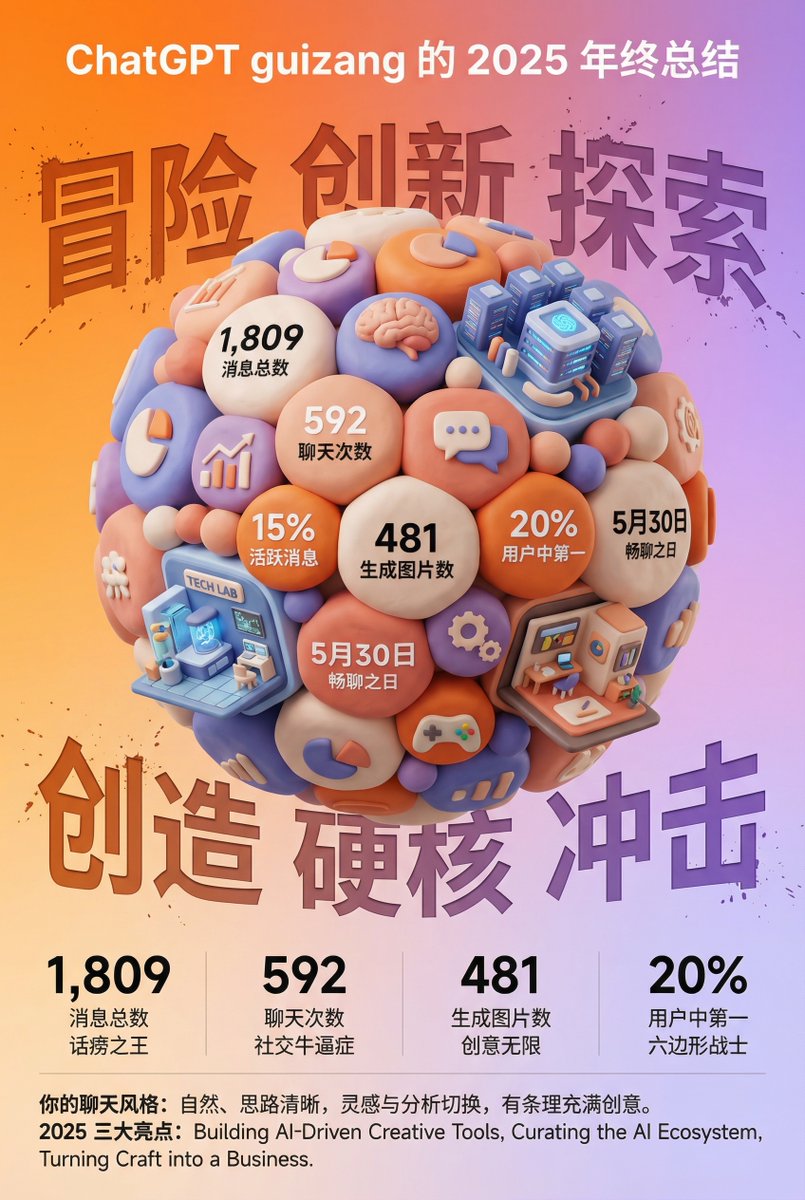
Sample Images
Full Prompt
Task Goal:
Based on the data and information in the year-end summary screenshot uploaded by the user, design a 3D year-end summary poster with a distinct style and strong visual impact, username {argument name="Username" default="[guizang]"}
Overall Style and Mood (Fixed Style):
Core Style: Blending 3D trends, gamification elements, and high-saturation colors.
Material Feel: The main body of the image presents exquisite clay or soft plastic material rendering, with rounded edges and soft light and shadow, giving a friendly 'blind box toy' feel.
Layout Sense: The overall layout should resemble a refined, high-end magazine, well-spaced, with clear information architecture. Text layout should be concise and clear, without adding any decorative backgrounds like cards, capsules, or bottom frames.
Main Visual (Core Visual):
The visual center is a massive, tightly stacked Q-version 3D clay sphere. The elements composing the sphere need to be dynamically generated based on the specific content in the user's uploaded screenshot:
Data Bubbles: Key numbers and corresponding labels extracted from the screenshot (e.g., total messages, chat times, images generated, activity ranking, etc.) are made into rounded clay data bubbles embedded in the sphere.
Theme Icons: Based on the user's interests reflected in the screenshot, add corresponding general clay icons (e.g., game controller, brain, chart, chat bubble, etc.).
Category Buildings (Core Requirement): Analyze the focus of the content in the screenshot and integrate several exquisite miniature clay buildings representing different chat categories into the sphere. For example:
If it includes AI/technology content, incorporate a futuristic data center building with a sense of technology.
If it includes gaming content, incorporate a pixel-style game castle.
If it includes creative/art content, incorporate a miniature art studio.
Combination Method: All these elements (bubbles, icons, buildings) must be very tightly and harmoniously squeezed together, seamlessly forming a perfect sphere, without revealing the internal structure.
Background Design (Fixed Frame):
Base Color: Use a high-saturation gradient background from warm orange to soft purple (referencing previous style).
Background Text: Behind the sphere, place six massive Chinese characters with splatter texture and reverse etching effects. The themes can be "Adventure Innovation Exploration" (top row) and "Creation Hardcore Impact" (bottom row), partially obscured by the sphere to add a street-style hardcore feel.
Information Architecture and Layout (Content Extracted from Screenshot):
Top (Header): Place the white ChatGPT Logo and generate a title based on the screenshot information, formatted as: "[{argument name="Username" default="Username extracted from screenshot"}]'s [Year] Year-End Summary".
Bottom Data Area (Data Grid): Below the sphere, create a minimalist 2x2 pure text data grid. Select the 4 most core data points from the screenshot, use an extra-bold sans-serif font to display the large numbers, and accompany them with corresponding text labels and interesting social attribute phrases (e.g., "Social Superstar," "Chatterbox," "Hexagonal Warrior," etc., generated based on data characteristics).
Footer Summary (Footer): Typeset two paragraphs of text in small font at the very bottom, with content extracted directly from the summary paragraphs in the user's screenshot (such as "Your Chat Style" and "Annual Highlights").
Related Prompts
Explore more poster and infographic prompts:
- Photo-Grid Tribute Poster - Create collage-style tribute posters
- Modern Sport Poster - Design dynamic sports posters
- Swiss Design Poster - Create Swiss-style typography posters
- 3D Isometric Atlas Scene - Create epic 3D scenes
- Bento Grid Infographic - Create organized layouts
Share This Prompt
Prompt Info
Tags
Daily Prompt Updates
New prompts are automatically curated daily from top AI creators on X.