AI Video Generator from Image: Turn Photos into Motion in Minutes (2026)
Alex Zhang is the founder of NeoSpark, an AI-powered design platform helping creators and teams generate images, videos, and brand assets without design skills.
AI Video Generator from Image: Turn Photos into Motion in Minutes (2026)
Published: June 12, 2026 | Reading Time: 14 min | Level: Creator / Marketer / E-commerce Operator
TL;DR: AI video generators from image turn static photos into short motion videos using artificial intelligence. This guide covers the complete image-to-video workflow, from choosing the right source image and writing motion prompts to platform-specific export and campaign optimization. Brands using image-to-video AI typically reduce video production time by 80-95% while scaling creative output by 10x.
Table of Contents
- Why Image-to-Video AI Is Transforming Content Creation
- What Is an AI Video Generator from Image?
- Best Use Cases for Image-to-Video AI
- How AI Image-to-Video Technology Works
- The Complete Image-to-Video Workflow
- Writing Effective Motion Prompts
- Platform-Specific Video Specs
- Choosing Source Images That Convert
- Advanced Techniques for Better Results
- Performance Optimization and A/B Testing
- Real Brand Case Studies
- Frequently Asked Questions
- Conclusion
- Related Resources
Why Image-to-Video AI Is Transforming Content Creation
The Motion Gap in Marketing
Video consistently outperforms static images across every major platform. Yet most brands, creators, and e-commerce operators have far more photos than videos. Product photography, lifestyle shots, illustrations, and brand assets sit unused because turning them into video traditionally required animation skills, editing software, and significant time.
AI video generators from image solve this by adding motion to existing visuals in minutes.
| Content Type | Static Image Engagement | Video Engagement | Lift |
|---|---|---|---|
| Product pages | Baseline | +25-40% | Significant |
| Social media feed | Baseline | +50-120% | High |
| Paid social ads | Baseline | +60-150% | Very high |
| Email campaigns | Baseline | +65% click uplift | High |
| Landing pages | Baseline | +30-50% conversion | High |
The Production Bottleneck
Traditional methods for turning images into video include:
- Motion graphics in After Effects
- 3D animation in Blender or Cinema 4D
- Stop-motion or timelapse photography
- Hiring video editors or animators
A single 5-15 second clip could take hours or days. AI image-to-video tools reduce this to seconds.
| Metric | Traditional Image-to-Video | AI Image-to-Video |
|---|---|---|
| Cost per clip | $200 - $2,000 | $0.10 - $2.00 |
| Production time | 2 hours - 2 weeks | 10 seconds - 5 minutes |
| Skill required | Animation / editing | None |
| Variations per image | 1 - 3 | 10 - 100+ |
| Revisions | Hours each | Instant |
What Is an AI Video Generator from Image?
An AI video generator from image is a tool that takes a static image — such as a photograph, illustration, product shot, or AI-generated artwork — and produces a short video by predicting and generating motion.
The AI analyzes:
- Subject and object boundaries
- Depth and spatial relationships
- Texture and material properties
- Lighting and scene context
It then generates frames that create the illusion of movement while preserving the original composition, style, and subject identity.
Unlike slideshows or Ken Burns effects, AI image-to-video produces organic, scene-aware motion such as:
- Camera movement (pan, zoom, orbit)
- Subject animation (hair blowing, eyes blinking, walking)
- Environmental motion (water flowing, clouds moving, fire flickering)
- Particle and atmospheric effects (rain, snow, dust, sparks)
Best Use Cases for Image-to-Video AI
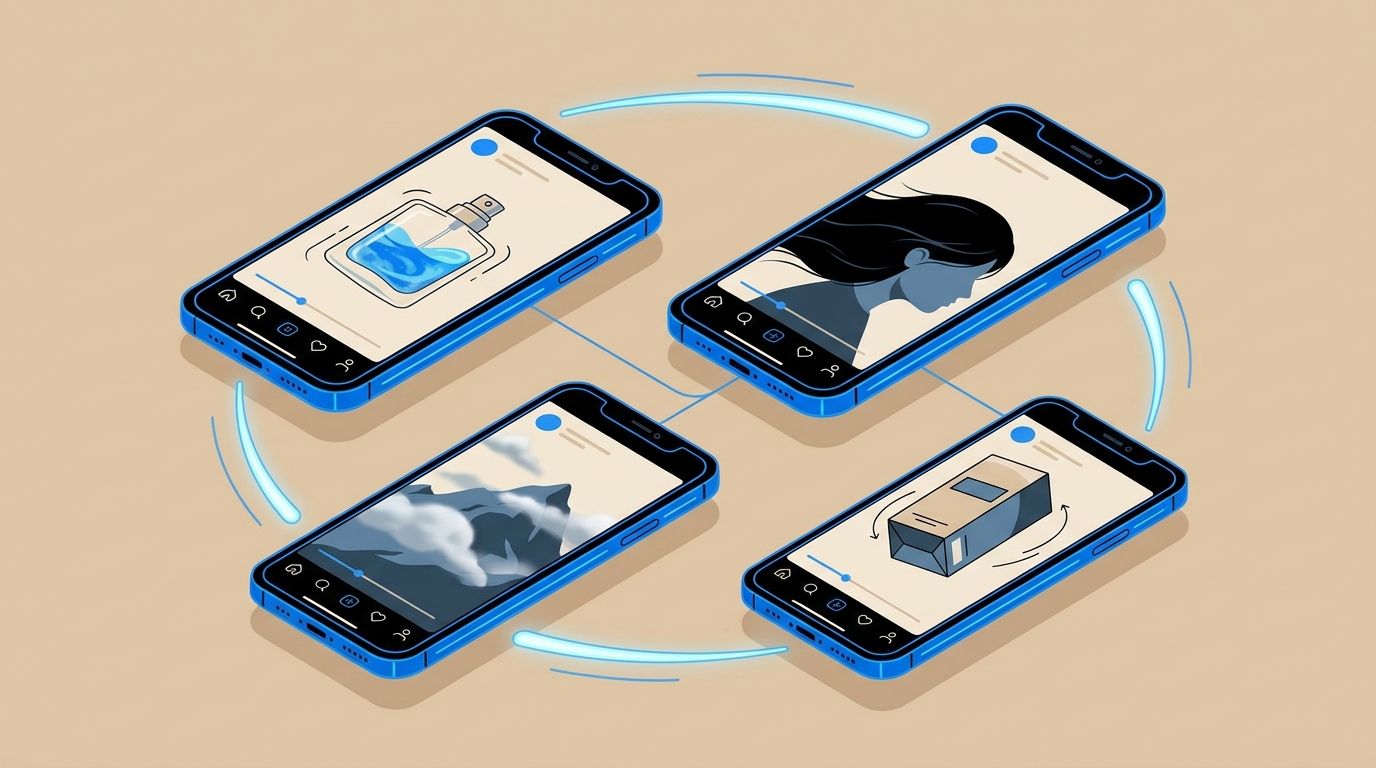
Product Photography Motion
Bring product photos to life with subtle rotations, liquid pours, fabric movement, or atmospheric context. Ideal for e-commerce listings, social ads, and product pages.
Portrait and Lifestyle Videos
Animate portrait photography with natural head movement, eye contact, breathing, or background motion. Popular for creator content, fashion campaigns, and UGC-style ads.
Illustration and Concept Art Animation
Turn static illustrations, concept art, or book covers into animated scenes. Great for publishers, game studios, and digital artists.
Real Estate and Interior Visualization
Add camera movement through property photos, animate fireplaces, water features, or outdoor views. Helps listings feel immersive without physical video shoots.
Brand and Social Content
Convert brand imagery, campaign visuals, and graphic designs into thumb-stopping social videos. Enables rapid creative testing across platforms.
Educational and Tutorial Content
Animate diagrams, screenshots, and instructional images to make explainer content more engaging.
How AI Image-to-Video Technology Works
The Core Pipeline
Modern image-to-video models follow a three-stage process:
- Image Encoding: The input image is analyzed to understand objects, depth, textures, and scene structure.
- Motion Prediction: The AI predicts how pixels should move over time based on the prompt and learned physics.
- Frame Generation: New frames are synthesized to create smooth, coherent motion from the first frame outward.
What Determines Quality
| Factor | Impact |
|---|---|
| Source image resolution | Higher resolution produces cleaner motion |
| Subject clarity | Clear subjects animate more predictably |
| Background complexity | Simpler backgrounds reduce artifacts |
| Prompt specificity | Detailed motion prompts guide the AI |
| Model capability | Advanced models handle complex motion better |
Leading Models in 2026
- Seedance 2.0: ByteDance’s multimodal video model with strong image-to-video performance
- Sora 2: OpenAI’s advanced video generation with high fidelity
- Veo 3: Google’s state-of-the-art video model
- Kling: Strong physical motion and character consistency
- Runway Gen-3: Popular for creative and commercial workflows
- Pika: Fast creative video generation
The Complete Image-to-Video Workflow
Step 1: Choose Your Source Image
Select a high-quality image with:
- Clear main subject
- Good composition
- Adequate resolution (at least 1080px on the shortest side)
- Minimal text overlays
- Consistent lighting
Step 2: Define the Motion Goal
Decide what kind of video you need:
| Goal | Motion Approach |
|---|---|
| Product showcase | Slow rotation, subtle glow, floating particles |
| Lifestyle ad | Natural camera movement, environmental motion |
| Portrait video | Subtle head turn, eye movement, breathing |
| Cinematic scene | Dramatic camera pan, atmospheric effects |
| Looping background | Repetitive, seamless motion |
Step 3: Write a Motion Prompt
Describe the desired movement, camera behavior, and atmosphere. Be specific about timing and intensity.
Step 4: Generate and Review
Generate multiple variations. Review for:
- Subject consistency
- Motion smoothness
- Lack of artifacts
- Alignment with brand style
Step 5: Edit and Enhance
Some workflows benefit from:
- Upscaling for higher resolution
- Adding music, sound effects, or captions
- Combining multiple clips
- Color grading for consistency
Step 6: Export for Platform
Render the final video in the correct aspect ratio, resolution, and format for each target platform.
Writing Effective Motion Prompts
The Motion Prompt Formula
[Camera movement] + [Subject motion] + [Environmental motion] + [Atmosphere] + [Style/quality]
Camera Movement Keywords
| Effect | Prompt Language |
|---|---|
| Slow zoom in | ”Slow cinematic zoom in toward subject” |
| Orbit | ”Camera orbits 30 degrees around the subject” |
| Push in | ”Smooth push-in dolly shot” |
| Pan across | ”Slow horizontal pan revealing the scene” |
| Tilt up | ”Camera tilts up from foreground to sky” |
| Static with motion | ”Static camera, subject moves naturally” |
Subject Motion Keywords
| Effect | Prompt Language |
|---|---|
| Hair blowing | ”Gentle wind moves hair and fabric” |
| Eye contact | ”Subject slowly blinks and holds gaze” |
| Product rotation | ”Product rotates 15 degrees showing side profile” |
| Liquid motion | ”Liquid swirls and ripples inside the bottle” |
| Walking | ”Subject takes two slow steps forward” |
Environmental Motion Keywords
| Effect | Prompt Language |
|---|---|
| Rain | ”Light rain falls, droplets hit surfaces” |
| Fire | ”Warm fireplace flames flicker softly” |
| Clouds | ”Clouds drift slowly across the sky” |
| Particles | ”Golden dust particles float in sunbeams” |
| Water | ”Water ripples and reflects light” |
Example Prompts
Product Video:
Slow cinematic push-in on a luxury perfume bottle. Golden liquid swirls gently inside. Soft particles float in warm spotlight. Elegant, high-end commercial aesthetic. 4K quality.
Lifestyle Portrait:
Subtle slow-motion portrait. Subject's hair moves in a gentle breeze. Soft natural eye blink. Background trees sway slightly. Golden hour lighting, shallow depth of field.
Landscape:
Camera slowly pans across a mountain lake. Clouds drift above peaks. Water ripples reflect the sky. Birds fly in the distance. Serene, cinematic atmosphere.
Platform-Specific Video Specs
| Platform | Aspect Ratio | Duration | Best Practices |
|---|---|---|---|
| TikTok | 9:16 | 5-15s | Native feel, strong hook, vertical motion |
| Instagram Reels | 9:16 | 5-15s | Smooth motion, captions, product in frame |
| Instagram Stories | 9:16 | Up to 15s | Leave safe zones for UI |
| YouTube Shorts | 9:16 | 5-15s | Clear branding, loop-friendly |
| Facebook Feed | 1:1 or 4:5 | 6-15s | Direct value, readable text |
| 1:1 or 16:9 | 6-15s | Professional tone, data-driven | |
| Amazon Product Video | 16:9 or 1:1 | 6-15s | Show product clearly, no misleading motion |
| Shopify Product Page | 1:1 or 16:9 | 5-30s | Autoplay muted, demonstrate value |
Choosing Source Images That Convert
High-Performing Image Types
| Image Type | Why It Works | Best For |
|---|---|---|
| Clean product shots | AI can isolate and animate objects cleanly | E-commerce ads |
| Lifestyle context shots | Adds emotional narrative | Social ads |
| Close-up portraits | Subtle facial motion feels human | UGC, testimonials |
| Wide landscapes | Camera movement creates immersion | Travel, real estate |
| Graphic illustrations | Style remains consistent | Brand content |
Images to Avoid
- Heavily compressed or low-resolution photos
- Images with excessive text or logos
- Busy, cluttered compositions
- Photos with motion blur
- Images where the subject is partially cut off
Advanced Techniques for Better Results
Multi-Clip Sequencing
Generate several short clips from different images and edit them together into a longer narrative. This creates richer storytelling than a single clip.
Loop Optimization
Design the first and last frames to match so the video loops seamlessly. Use prompts like “subtle repeating motion, seamless loop.”
First-Frame Conditioning
Advanced workflows use one generated frame as the anchor and generate subsequent clips from it, maintaining character and scene consistency.
Hybrid Production
Combine AI image-to-video with:
- AI-generated voiceover
- Stock music
- Motion graphics overlays
- Captions and branding
Style Consistency
Use the same model and similar prompts across a campaign to maintain visual coherence.
Performance Optimization and A/B Testing
Metrics to Track
| Metric | Benchmark | Optimization Lever |
|---|---|---|
| Thumb-stop ratio | 25-35% | Opening frame and motion hook |
| View-through rate | 15-30% | Pacing and relevance |
| Click-through rate | 0.8-2.5% | CTA clarity and product focus |
| Conversion rate | Platform-dependent | Landing page continuity |
| Return on ad spend | 3x+ | Creative freshness and testing velocity |
A/B Testing Ideas
Test 1: Motion Type Compare camera movement vs. subject movement vs. environmental movement.
Test 2: Speed Test slow, cinematic motion against faster, energetic motion.
Test 3: Hook Frame Use the most compelling still image as the first frame and test different starting compositions.
Test 4: Prompt Variations Generate 5-10 motion prompts for the same image and identify winning patterns.
Test 5: Sound On vs. Captions Test videos with music, voiceover, or burned-in captions against silent versions.
Real Brand Case Studies
Case Study 1: DTC Skincare Brand — +45% Meta Ad CTR
Brand profile: 40-person skincare company launching a new serum.
Challenge: The brand had professional product photography but no video assets. Traditional video production would have delayed the launch by 3 weeks.
Solution: Used AI image-to-video to animate 12 product photos into 6-second social clips. Each clip featured slow camera movement, liquid shimmer, and floating particles.
Results:
- Meta ad CTR: +45% vs. static image ads
- Cost per click: -32%
- Campaign launch time: 3 days instead of 3 weeks
- Video production cost: $120 vs. $8,000 quoted by studio
Case Study 2: Real Estate Agency — +60% Listing Engagement
Company profile: Regional real estate agency with 50 active listings.
Challenge: Property photos were strong, but listings lacked video content. Video shoots for every property were not scalable.
Solution: Generated AI videos from property photos, adding slow camera pans, animated fireplaces, and outdoor views.
Results:
- Listing page engagement: +60%
- Average time on page: +85%
- Inquiries per listing: +28%
- Production time per video: under 5 minutes
Frequently Asked Questions
What is an AI video generator from image?
An AI video generator from image is a tool that takes a static image and uses artificial intelligence to generate a short video by predicting and synthesizing motion. It can add camera movement, subject animation, and environmental effects.
How long are AI image-to-video clips?
Most AI image-to-video tools generate clips between 3 and 10 seconds. Some advanced models support up to 15-30 seconds. Multiple clips can be edited together for longer content.
What images work best for AI video generation?
High-resolution images with clear subjects, good lighting, and uncluttered backgrounds work best. Product photos, portraits, landscapes, and illustrations all perform well.
Can AI image-to-video preserve the original style?
Yes. Leading models preserve the composition, colors, and style of the source image while adding motion. Some models are specifically optimized for photorealism, anime, or illustration styles.
Is AI image-to-video free?
Many platforms offer free trials or limited free generations. For commercial use and high volume, paid plans are typically required. NeoSpark offers image-to-video generation through its AI design platform.
Can I use AI image-to-video for product ads?
Yes. Image-to-video is particularly effective for e-commerce product ads, allowing brands to animate product photos for social media, Amazon listings, and landing pages.
What is the best AI video generator from image?
The best tool depends on your needs. For high-quality commercial output, models like Seedance 2.0, Sora 2, and Veo 3 are leading options. NeoSpark provides access to multiple top models through one platform.
How do I write prompts for image-to-video?
Describe camera movement, subject motion, environmental effects, and atmosphere. Be specific about speed and intensity. Include quality keywords like “cinematic,” “smooth,” and “4K.”
Can AI image-to-video replace traditional video production?
For short-form content, social ads, and rapid creative testing, AI image-to-video is often faster and more cost-effective. For complex narrative videos, high-end commercials, and broadcast content, traditional production remains valuable.
How do I maintain brand consistency across AI videos?
Use consistent source images, similar motion prompts, and the same model across a campaign. Add branded overlays, music, and captions in post-production for a unified look.
Conclusion
AI video generators from image are bridging the gap between static content and motion. For brands and creators with existing photo libraries, this technology unlocks video production at a fraction of the traditional cost and time.
The key takeaways are:
- Start with strong images. The source photo determines the ceiling of the output.
- Write specific motion prompts. Camera movement, subject motion, and atmosphere all matter.
- Test multiple variations. AI enables rapid creative iteration.
- Match platform specs. Export in the right aspect ratio and duration for each channel.
- Combine clips for richer stories. Short clips can be sequenced into longer narratives.
- Measure performance. Track CTR, engagement, and conversion to refine your approach.
Ready to turn your images into video? Explore NeoSpark’s Video Ads and AI Design Tools to generate image-to-video clips, product demos, and social-ready motion content.
Related Resources
- Image-to-Video Complete Guide — Deep dive into image-to-video workflows
- AI Marketing Video Guide — Scale video ads across platforms
- AI Product Video Guide — Product demos that convert
- How to Make AI Videos — Beginner-friendly AI video tutorial
- Best Free AI Video Generators 2026 — Tool comparison for every budget
- Seedance 2.0 Multimodal AI Video Guide — Advanced multimodal video generation
Author: Alex Zhang, Founder of NeoSpark Platform Last Updated: June 12, 2026 Sources: Wyzowl Video Marketing Statistics 2025, HubSpot Video Marketing Report 2025, Statista AI Video Report 2026, NeoSpark Video Performance Survey 2026