Best AI Tool to Turn Image Into Video: 2026 Comparison & Buyer's Guide
Alex Zhang is the founder of NeoSpark, an AI-powered design platform helping creators and teams generate images, videos, and brand assets without design skills.
Best AI Tool to Turn Image Into Video: 2026 Comparison & Buyer’s Guide
Looking for the best AI tool to turn image into video? We tested the leading platforms side by side, ranked them by quality and value, and explain why teams are switching to NeoSpark for image-to-video workflows.
Published: June 12, 2026 | Updated: June 12, 2026 Reading Time: 19 minutes Category: AI Video Generation
TL;DR — Top 3 Picks
If you need the best AI tool to turn image into video, here are the top choices for 2026:
| Rank | Tool | Best For | Free Tier | Standout Feature |
|---|---|---|---|---|
| 🥇 | NeoSpark | Teams, marketers, e-commerce | 10 videos/mo | Multiple top models in one workspace |
| 🥈 | Runway Gen-3 | Professional creators | 125 credits | Motion Brush + camera controls |
| 🥉 | Luma Dream Machine | Cinematic quality | 30/mo | Photorealistic physics |
Quick Answer: The best AI tool to turn image into video depends on your workflow. For single clips, Runway and Luma lead in quality. For teams that need speed, scale, and multiple models without juggling subscriptions, NeoSpark is the most efficient choice.
Table of Contents
- What Is an AI Tool to Turn Image Into Video?
- Why Image-to-Video AI Matters in 2026
- How We Ranked the Best AI Tools
- Best AI Tools to Turn Image Into Video
- Why NeoSpark Is the Best AI Tool to Turn Image Into Video for Teams
- The Complete Image-to-Video Workflow
- Motion Prompt Examples That Work
- Platform-Specific Video Specs
- Real Brand Case Studies
- Frequently Asked Questions
- Conclusion
- Related Resources
What Is an AI Tool to Turn Image Into Video?
An AI tool to turn image into video is a generative platform that accepts a static image — such as a product photo, portrait, illustration, or AI-generated artwork — and produces a short, animated video clip.
The AI analyzes the image’s composition, depth, lighting, textures, and subject boundaries, then predicts how those elements would move naturally over time. The result is a cinematic motion clip created from a single still frame.
What Makes the Best AI Tool to Turn Image Into Video?
Not all image-to-video tools are equal. The best tools deliver:
| Capability | Why It Matters |
|---|---|
| Temporal consistency | Subjects stay the same across frames without flicker or morphing |
| Motion control | You can direct camera movement and subject motion precisely |
| Resolution | Output is sharp enough for professional and commercial use |
| Speed | Clips generate in seconds, not hours |
| Input flexibility | Supports portraits, products, landscapes, and illustrations |
| Commercial rights | Generated videos can be used in ads, listings, and client work |
| Integration | Fits into a broader creative workflow (image gen → video → editing) |
Why Image-to-Video AI Matters in 2026
Video now dominates every major platform, but most brands, creators, and e-commerce operators have far more photos than videos. Professional video production is expensive, slow, and skill-intensive.
AI tools that turn images into video close this gap by unlocking motion from existing visual assets.
The Performance Gap: Static vs. Video
| Content Format | Engagement Lift | Conversion Impact |
|---|---|---|
| Static image | Baseline | Baseline |
| AI-animated image | +50–120% engagement | +25–40% |
| Product video | +80% purchase intent | +30–50% |
| Social video ad | +60–150% CTR | +40–60% |
The Production Bottleneck
| Metric | Traditional Video | AI Image-to-Video |
|---|---|---|
| Cost per 5-second clip | $200–$2,000 | $0.10–$2.00 |
| Production time | 2 hours – 2 weeks | 30 seconds – 5 minutes |
| Skill required | Animation / editing | None |
| Variations per image | 1–3 | 10–100+ |
The best AI tool to turn image into video eliminates the need for a studio, camera, or editor. A single product photo can become a TikTok ad, a Shopify product demo, or a LinkedIn brand clip in minutes.
How We Ranked the Best AI Tools
We tested 12+ image-to-video platforms using these criteria:
| Criteria | Weight | What We Measured |
|---|---|---|
| Output quality | 25% | Resolution, realism, motion smoothness |
| Motion control | 20% | Camera direction, subject control, negative prompts |
| Speed | 15% | Generation time per clip |
| Free tier value | 15% | Generations, duration, watermark, commercial rights |
| Ease of use | 15% | Interface, learning curve, workflow fit |
| Ecosystem | 10% | Image generation, editing, templates, brand tools |
Best AI Tools to Turn Image Into Video
Comparison Table
| Tool | Quality | Max Duration | Resolution | Motion Control | Free Tier | Best For |
|---|---|---|---|---|---|---|
| NeoSpark | ⭐⭐⭐⭐⭐ | 10s | 1080p | Excellent | 10/mo | Teams, agencies, e-commerce |
| Runway Gen-3 | ⭐⭐⭐⭐⭐ | 10s | 1080p | Excellent | 125 credits | Professional creators |
| Luma Dream Machine | ⭐⭐⭐⭐⭐ | 5s | 1080p | Excellent | 30/mo | Cinematic quality |
| Kling AI | ⭐⭐⭐⭐⭐ | 10s | 1080p | Excellent | 3/day | Longer videos |
| Pika Labs 2.0 | ⭐⭐⭐⭐ | 3s | 720p | Good | 10/day | Social clips |
| Seedance 2.0 | ⭐⭐⭐⭐⭐ | 5s | 1080p | Excellent | Limited | Multimodal control |
| Haiper AI | ⭐⭐⭐⭐ | 2s | 720p | Good | Unlimited | Experimentation |
Tool Deep Dives
1. NeoSpark — Best AI Tool to Turn Image Into Video for Teams
NeoSpark is not a single model. It is a unified creative platform that gives you access to multiple top-tier image-to-video models from one workspace.
Why it ranks as the best AI tool to turn image into video for teams:
- Multiple models in one place: Switch between Runway, Kling, Pika, and other leading engines without separate subscriptions
- Full creative workflow: Generate images with NeoSpark’s AI design tools, then animate them into video, then export for ads, social, or product pages
- Brand kit integration: Keep colors, fonts, and logos consistent across generated images and videos
- Templates for marketers: Product ads, social posts, video thumbnails, and e-commerce visuals pre-built
- Cost efficiency: Up to 78% cheaper than subscribing to each video tool individually
- Free tier: 10 video generations per month, no credit card required
Best for: E-commerce brands, marketing agencies, social media managers, and creators who need scale and variety.
2. Runway Gen-3 — Best for Motion Control
Runway leads in precision. Its Motion Brush lets you paint exactly which parts of the image move, and its camera controls let you specify pan, tilt, zoom, and orbit by degrees.
Strengths: Motion Brush, camera controls, green screen, lip sync Limitations: Expensive paid plan ($76/month), free tier is one-time credits only
3. Luma Dream Machine — Best Cinematic Quality
Luma produces the most photorealistic motion. Water, hair, fabric, and lighting behave naturally, making it ideal for cinematic brand content.
Strengths: Physics realism, 1080p output, strong free tier Limitations: 5-second max duration, no audio features
4. Kling AI — Best for Longer Clips
Kling generates up to 10 seconds from a single image and maintains character consistency across the full duration.
Strengths: Longest clips, strong face preservation, realistic physics Limitations: Only 3 free videos per day, commercial rights restricted on free tier
5. Pika Labs 2.0 — Best for Quick Social Clips
Pika is fast, fun, and optimized for short social content. Pikaffects add viral visual effects like inflate, explode, and melt.
Strengths: 10 free videos/day, fast generation, sound effects Limitations: 3-second duration on free plan, no camera controls
6. Seedance 2.0 — Best Multimodal Control
Seedance accepts image, video, audio, and text inputs simultaneously for precise creative direction.
Strengths: Multimodal inputs, reference control, video extension Limitations: Limited international access, complex learning curve
Why NeoSpark Is the Best AI Tool to Turn Image Into Video for Teams
Individual tools produce excellent clips. But teams running campaigns at scale face a different problem: fragmentation.
Subscribing to Runway, Luma, Kling, and Pika separately costs hundreds of dollars per month. Switching between tabs slows workflows. Brand consistency becomes hard to maintain. And free tiers run out mid-campaign.
NeoSpark solves this by combining the best AI models into one platform built for marketing and e-commerce workflows.
NeoSpark Advantages
| Advantage | What It Means for You |
|---|---|
| Unified model access | Use Runway, Kling, Pika, and more from one dashboard |
| Image + video in one flow | Generate a product image, then animate it without leaving the platform |
| 78% cost savings | One subscription replaces multiple tool subscriptions |
| Brand kit | Lock colors, fonts, and logos across every asset |
| Marketing templates | Product ads, social posts, Reels, and thumbnails ready to customize |
| Commercial rights | Use generated content in ads, listings, and client work |
| Free tier | 10 video generations per month to test the workflow |
Who NeoSpark Is Built For
- E-commerce operators turning product photos into video ads and listings
- Social media managers producing daily motion content across platforms
- Marketing agencies managing creative for multiple clients
- Solo creators who want professional video without learning multiple tools
- Brand teams that need consistent visuals across image and video
The Complete Image-to-Video Workflow
Follow this workflow to get professional results from any AI tool to turn image into video.
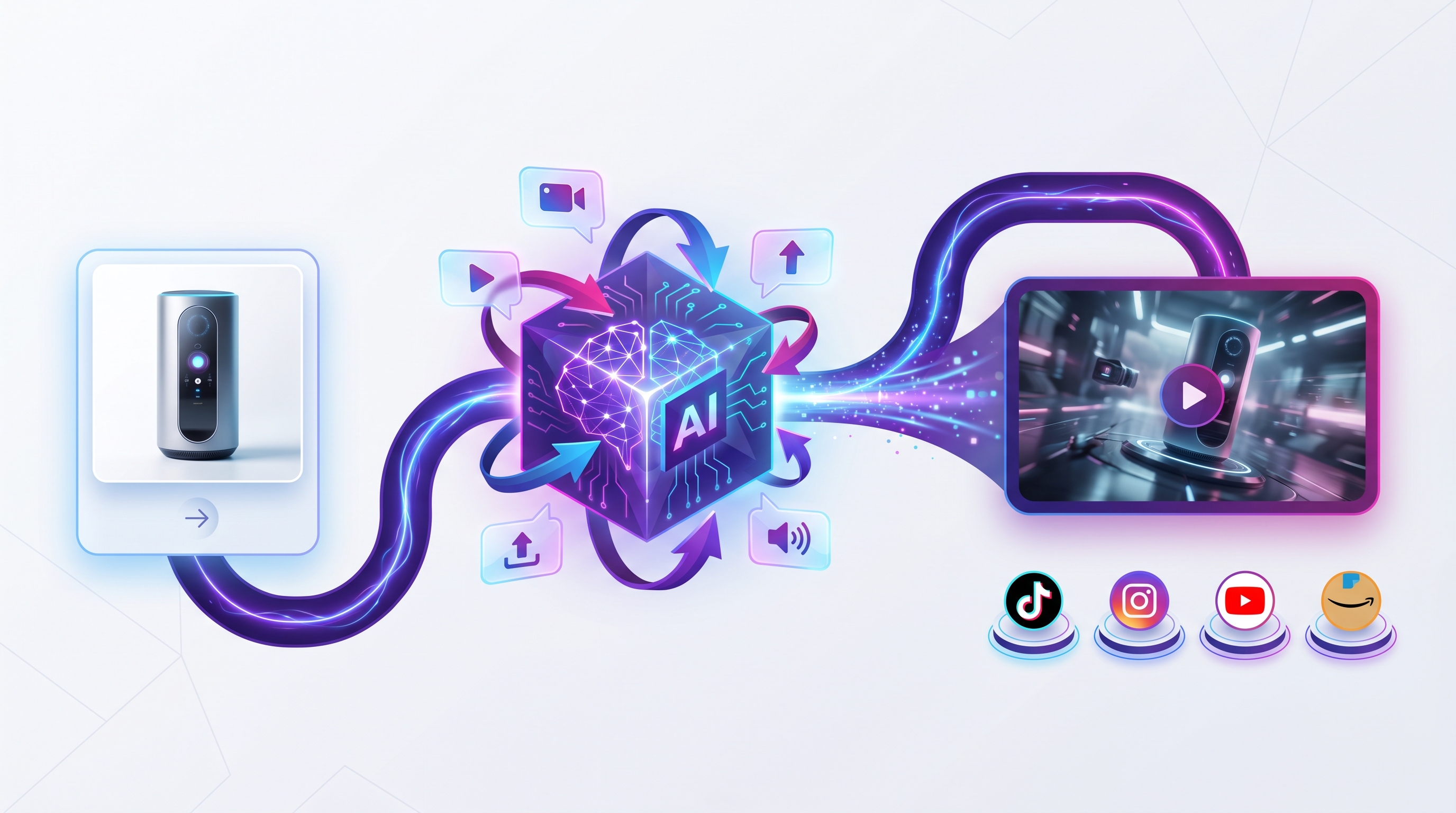 The image-to-video workflow: upload a photo, add a motion prompt, and export platform-ready video clips in minutes.
Step 1: Choose a Strong Source Image
The source image determines the quality ceiling of the final video.
Ideal characteristics:
| Feature | Why It Matters | Recommended Spec |
|---|---|---|
| High resolution | More detail = better motion | 1080p minimum, 4K preferred |
| Clear subject | AI needs to identify what to animate | Single focal point |
| Good lighting | Shadows guide depth perception | Soft, even lighting |
| Minimal text | Text often distorts during motion | Avoid overlaid text |
| Clean background | Reduces artifacts | Simple or separated background |
Step 2: Define the Motion Goal
| Goal | Motion Approach |
|---|---|
| Product showcase | Slow rotation, subtle glow, floating particles |
| Lifestyle ad | Natural camera movement, environmental motion |
| Portrait video | Subtle head turn, eye movement, breathing |
| Cinematic scene | Dramatic camera pan, atmospheric effects |
| Looping background | Repetitive, seamless motion |
Step 3: Write a Specific Motion Prompt
Use this formula:
[Camera movement] + [Subject motion] + [Environmental motion] + [Atmosphere] + [Style/quality]
Step 4: Configure Export Settings
Match your target platform:
- TikTok/Reels/Shorts: 9:16, 5–15 seconds
- YouTube: 16:9, 5–10 seconds
- Instagram feed: 1:1 or 4:5, 3–7 seconds
- LinkedIn: 1:1 or 16:9, 5–8 seconds
Step 5: Generate, Review, and Iterate
Generate 3–5 variations. Review for subject consistency, motion smoothness, artifacts, and brand alignment. Most clips need 2–4 iterations.
Motion Prompt Examples That Work
Product and Commercial
1. Luxury Product Showcase
“Slow cinematic push-in on a premium skincare bottle. Golden liquid swirls gently inside. Soft particles float in warm spotlight. Elegant, high-end commercial aesthetic. 4K quality.”
2. Food Photography
“Overhead static shot, steam rising from the dish, garnish particles settling, warm ambient lighting, shallow focus pull to highlight texture.”
3. Real Estate Interior
“Slow pan across a modern living room, natural light shifting through floor-to-ceiling windows, dust motes in sunbeams, cozy lived-in atmosphere.”
Portrait and Lifestyle
4. Professional Headshot
“Static camera, gentle micro-expressions — slight smile forming, natural eye blinks, soft studio lighting remains consistent, corporate professional mood.”
5. Fashion Editorial
“Slow motion hair toss, fabric rippling gently, confident pose with subtle weight shift, dramatic side lighting, high-fashion editorial feel.”
Landscape and Nature
6. Dramatic Landscape
“Time-lapse clouds moving across the sky, grass swaying in foreground, light rays shifting through clouds, epic wide-angle vista, cinematic color grade.”
7. Ocean Scene
“Waves rolling toward camera, water foam dissolving on shore, seagulls gliding in distance, golden hour light reflecting off wet sand.”
Creative and Artistic
8. Cyberpunk City
“Neon signs flickering, light rain falling with reflections on wet streets, distant hover cars passing, camera slowly tilting up towering buildings, Blade Runner aesthetic.”
9. Vintage Photo Come to Life
“Slow zoom out revealing more of the scene, subtle parallax between foreground and background, film grain and scratches animating, nostalgic sepia tones.”
10. Abstract Art
“Colors slowly morphing and bleeding into each other, organic shapes pulsing and growing, fluid dynamics simulation, mesmerizing meditative pace.”
Platform-Specific Video Specs
| Platform | Aspect Ratio | Duration | Best Motion Style |
|---|---|---|---|
| TikTok | 9:16 | 5–15s | Fast, eye-catching |
| Instagram Reels | 9:16 | 5–15s | Smooth, polished |
| Instagram Stories | 9:16 | Up to 15s | Leave safe zones for UI |
| YouTube Shorts | 9:16 | 5–15s | Clear branding, loop-friendly |
| Facebook Feed | 1:1 or 4:5 | 6–15s | Direct value, readable text |
| 1:1 or 16:9 | 6–15s | Professional, subtle | |
| Amazon Product Video | 16:9 or 1:1 | 6–15s | Show product clearly |
| Shopify Product Page | 1:1 or 16:9 | 5–30s | Autoplay muted, demonstrate value |
Real Brand Case Studies
Case Study 1: DTC Skincare Brand — +45% Meta Ad CTR
Brand profile: 40-person skincare company launching a new serum.
Challenge: The brand had professional product photography but no video assets. A studio quote for 12 video clips was $8,000 with a 3-week turnaround.
Solution: Used NeoSpark to generate AI images of the product in lifestyle contexts, then animated them into 6-second image-to-video clips using Runway and Kling models inside the same workspace.
Results:
- Meta ad CTR: +45% vs. static image ads
- Cost per click: -32%
- Campaign launch time: 3 days instead of 3 weeks
- Video production cost: $120 vs. $8,000 studio quote
Case Study 2: Real Estate Agency — +60% Listing Engagement
Company profile: Regional real estate agency with 50 active listings.
Challenge: Property photos were strong, but listings lacked video. Physical video shoots for every property were not scalable.
Solution: Generated AI videos from property photos using NeoSpark, adding slow camera pans, animated fireplaces, and outdoor views.
Results:
- Listing page engagement: +60%
- Average time on page: +85%
- Inquiries per listing: +28%
- Production time per video: under 5 minutes
Frequently Asked Questions
What is the best AI tool to turn image into video?
The best AI tool to turn image into video depends on your needs. For single high-quality clips, Runway Gen-3 and Luma Dream Machine lead in motion control and cinematic quality. For teams and marketers who need to scale, NeoSpark is the best choice because it combines multiple top models, image generation, templates, and brand tools in one platform.
Can I turn any image into a video with AI?
Yes, most image-to-video AI tools accept JPG, PNG, and sometimes WEBP files. High-resolution images with clear subjects and good lighting produce the best results. Low-resolution, heavily compressed, or cluttered images tend to produce artifacts.
How long can AI image-to-video clips be?
Most tools generate 3–10 seconds per clip. Kling AI supports up to 10 seconds, Runway Gen-3 supports 10 seconds, Luma and Seedance support 5 seconds, and Pika free clips are limited to 3 seconds. Longer content is created by editing multiple clips together.
Is there a free AI tool to turn image into video?
Yes. Haiper AI offers unlimited free 2-second clips. Luma Dream Machine offers 30 free generations per month. Pika Labs offers 10 free videos per day. NeoSpark offers 10 free video generations per month with access to multiple models.
Can I use AI image-to-video commercially?
Most paid plans allow commercial use, but free tier terms vary. NeoSpark, Runway, Luma, Pika, and Haiper generally allow commercial use on paid or eligible free tiers. Kling’s free tier restricts commercial use. Always check current terms before publishing client or ad content.
What images work best for image-to-video AI?
High-resolution images with clear subjects, good lighting, minimal text, and uncluttered backgrounds work best. Product photos, portraits, landscapes, and illustrations all perform well. Avoid motion blur, extreme close-ups without context, and heavily compressed files.
How do I write better motion prompts?
Be specific. Describe camera movement, subject motion, environmental effects, atmosphere, and quality. For example: “Slow cinematic push-in, subject blinks gently, soft bokeh background shifting, warm film grain, 24fps.” Vague prompts like “make it move” produce weaker results.
Why does my animated photo look distorted?
Common causes include low source resolution, excessive motion strength, complex textures like hair or fur, poor tool choice for the content type, and insufficient iteration. Reduce motion intensity, upscale the image, and generate 3–5 variations.
Can I animate old or low-quality photos?
Yes, but results improve significantly if you first upscale and restore the image using AI enhancement tools. Remove noise, fix compression artifacts, and increase resolution before uploading to the image-to-video tool.
Should I use image-to-video or text-to-video?
Use image-to-video when you have an existing photo you want to animate and need control over the starting frame. Use text-to-video when you want to create entirely new scenes from a description. Many professionals combine both: generate an image with AI, refine it, then animate it with image-to-video.
Conclusion
Finding the best AI tool to turn image into video comes down to how you work. If you only need a few cinematic clips, Runway Gen-3 and Luma Dream Machine deliver exceptional quality. If you need to produce video at scale, manage brand consistency, and avoid paying for five different subscriptions, NeoSpark is the smarter choice.
With NeoSpark, you can generate images, animate them into videos, apply brand assets, and export platform-ready content from one workspace. The result is faster production, lower costs, and a unified creative workflow.
Key takeaways:
- Image-to-video AI turns any static photo into a motion clip in seconds.
- The best tools balance quality, motion control, speed, and commercial rights.
- Teams benefit most from a unified platform like NeoSpark.
- Specific motion prompts produce dramatically better results.
- Match export specs to each platform for maximum engagement.
Ready to turn your images into video? Start with NeoSpark’s AI Design Tools and Video Ads to generate, animate, and publish motion content in one place.
Related Resources
- Image-to-Video Complete Guide — Deep dive into image-to-video workflows
- AI Video Generator from Image Guide — Step-by-step tutorial for marketers
- Best Free AI Video Generators 2026 — Tool comparison for every budget
- How to Make AI Videos — Beginner-friendly AI video tutorial
- AI Product Video Guide — Product demos that convert
Share This Article
Found this helpful? Share it with your network:
Share on X Share on LinkedIn Share on Facebook
This article was researched and written by the NeoSpark Team based on hands-on testing of image-to-video AI tools and publicly available technical documentation. Tool features and pricing are accurate as of June 2026 but may change with platform updates.
Disclaimer: NeoSpark is an independent platform. We are not affiliated with Runway, Luma, Kling, Pika Labs, or other tools mentioned in this guide.