AI Video Generator No Restrictions: Best Free AI Video Generators 2026 and Grok XAI Length Limits
Alex Zhang is the founder of NeoSpark, an AI-powered design platform helping creators and teams generate images, videos, and brand assets without design skills.
AI Video Generator No Restrictions: Best Free AI Video Generators 2026 and Grok XAI Length Limits
Looking for an AI video generator with no restrictions? This guide covers the best free AI video generators 2026, what “no restrictions” really means, and the latest on Grok XAI video generation length limits.
Published: July 5, 2026 | Updated: July 5, 2026 Reading Time: 16 minutes Tools Covered: 12+
TL;DR
| Need | Best Free Option | Key Point |
|---|---|---|
| AI video generator no restrictions | Stable Video Diffusion (local) / PixVerse | Open-source or permissive platforms offer the most freedom |
| Best free AI video generators 2026 | Pika Labs, Luma Dream Machine, Kling AI | Strong free tiers, no watermark |
| Grok XAI video length limit | Grok Imagine video | Short clips; exact seconds depend on tier |
| All-in-one platform | NeoSpark | Multiple video models, unified interface |
Bottom line: If you need maximum freedom, run open-source models locally. For free cloud tools with generous limits, Pika Labs and Luma Dream Machine lead. For Grok XAI video generation, expect short clips and verify current length limits on your subscription tier.
What Does “AI Video Generator No Restrictions” Really Mean?
The Search Intent Behind “No Restrictions”
When people search for an AI video generator no restrictions, they typically want:
- Fewer content policy blocks for artistic, editorial, or mature themes
- No sign-up requirements or identity verification
- No watermarks on free outputs
- Higher generation limits without forced upgrades
- Support for controversial or niche creative projects
No Tool Is Truly Unrestricted
Every AI video generator has some boundaries:
| Restriction Type | Examples |
|---|---|
| Legal | Child safety, non-consensual content, fraud |
| Platform policy | Hate speech, harassment, misinformation |
| Technical | Maximum duration, resolution, frame rate |
| Commercial | Usage rights on free tiers |
⚠️ Important: “No restrictions” usually means “fewer restrictions than mainstream tools,” not “zero rules.” Always use AI tools responsibly and legally.
Mainstream vs. Permissive Platforms
| Platform Type | Examples | Restriction Level |
|---|---|---|
| Mainstream closed platforms | Sora, Runway, Pika (standard) | High moderation |
| Freemium with flexible policies | PixVerse, Mage.video, Kling | Moderate moderation |
| Open-source / local | Stable Video Diffusion, Wan, CogVideo | User-controlled |
| Adult/permissive platforms | Specific NSFW-friendly tools | Adult allowed, illegal still blocked |
Best Free AI Video Generators 2026
The best free AI video generators 2026 balance quality, generosity, and flexibility. Here’s a focused list for users who want fewer restrictions and more creative control.
1. Pika Labs 2.0 — Best for Social and Experimental Content
Rating: ⭐⭐⭐⭐⭐ (4.8/5)
Pika Labs offers one of the most generous free tiers and supports a wide range of creative styles, including some that stricter platforms refuse.
Free Tier:
- 10 videos per day
- 3 seconds per video
- 720p, no watermark
- Commercial use allowed
Why it fits “no restrictions”: Broad creative range, quick generation, strong community.
2. Luma Dream Machine — Best Cinematic Quality
Rating: ⭐⭐⭐⭐⭐ (4.7/5)
Luma produces the most natural motion and photorealistic results among free tools.
Free Tier:
- 30 generations per month
- 5 seconds per video
- 1080p, no watermark
- Commercial use allowed
Why it fits: High-quality output with relatively permissive creative prompts.
3. Kling AI — Best for Longer Free Videos
Rating: ⭐⭐⭐⭐⭐ (4.6/5)
Kling offers the longest free video duration at 10 seconds per clip.
Free Tier:
- 3 videos per day
- 10 seconds per video
- 720p, no watermark
- Personal use only on free tier
Why it fits: Longer duration means fewer extensions needed.
4. Haiper AI — Best Unlimited Free Option
Rating: ⭐⭐⭐⭐ (4.4/5)
Haiper is the only tool offering truly unlimited free generations.
Free Tier:
- Unlimited generations
- 2 seconds per video
- 720p, no watermark
- Commercial use allowed
Why it fits: No daily cap, perfect for experimentation.
5. Runway Gen-3 — Best Professional Features
Rating: ⭐⭐⭐⭐ (4.5/5)
Runway is the industry standard with advanced controls.
Free Tier:
- 125 one-time credits
- 10 seconds per video
- 1080p, no watermark
- Commercial use allowed
Why it fits: Advanced tools for users who need precise control.
6. PixVerse V4 — Best for Anime and Stylized Content
Rating: ⭐⭐⭐⭐ (4.3/5)
PixVerse is popular for anime, fantasy, and stylized video generation.
Free Tier:
- 100 credits per day
- 4 seconds per video
- 720p, no watermark
- Commercial use allowed
Why it fits: Permissive toward stylized and fictional content.
7. Stable Video Diffusion — Best Open-Source Option
Rating: ⭐⭐⭐⭐ (4.3/5)
For true “no restrictions” control, run Stable Video Diffusion locally or through a permissive host.
Free Tier:
- Unlimited if self-hosted
- 4 seconds per video
- Resolution depends on hardware
- Commercial use generally allowed
Why it fits: Full local control over models, prompts, and outputs.
Comparison: Best Free AI Video Generators 2026
| Tool | Free Tier | Duration | Resolution | Watermark | Commercial | Best For |
|---|---|---|---|---|---|---|
| Pika Labs 2.0 | 10/day | 3s | 720p | ❌ | ✅ | Social/experimental |
| Luma Dream Machine | 30/mo | 5s | 1080p | ❌ | ✅ | Cinematic |
| Kling AI | 3/day | 10s | 720p | ❌ | ⚠️ Personal | Long videos |
| Haiper AI | Unlimited | 2s | 720p | ❌ | ✅ | Beginners |
| Runway Gen-3 | 125 total | 10s | 1080p | ❌ | ✅ | Professional |
| PixVerse V4 | 100/day | 4s | 720p | ❌ | ✅ | Anime/stylized |
| Stable Video Diffusion | Unlimited* | 4s | Varies | ❌ | ✅ | Full control |
*When self-hosted
Grok XAI Video Generation Length Limit 2026

Current Status of Grok Video Generation
As of 2026, xAI has expanded Grok from text and image generation into video generation through Grok Imagine and related video features. However, Grok’s video capabilities are more limited than dedicated video platforms.
Grok XAI Video Generation Length Limit
| Aspect | Typical Limit | Notes |
|---|---|---|
| Clip duration | 3–5 seconds per generation | Short-form output |
| Total video length | Built by extending or chaining clips | Not a single long generation |
| Resolution | 720p or lower on free tiers | Higher on paid tiers |
| Free tier allowance | Limited credits via X Premium | Changes frequently |
⚠️ Disclaimer: xAI updates Grok’s features and limits regularly. Always check the latest information on x.ai or inside the Grok interface.
How Grok Video Generation Works
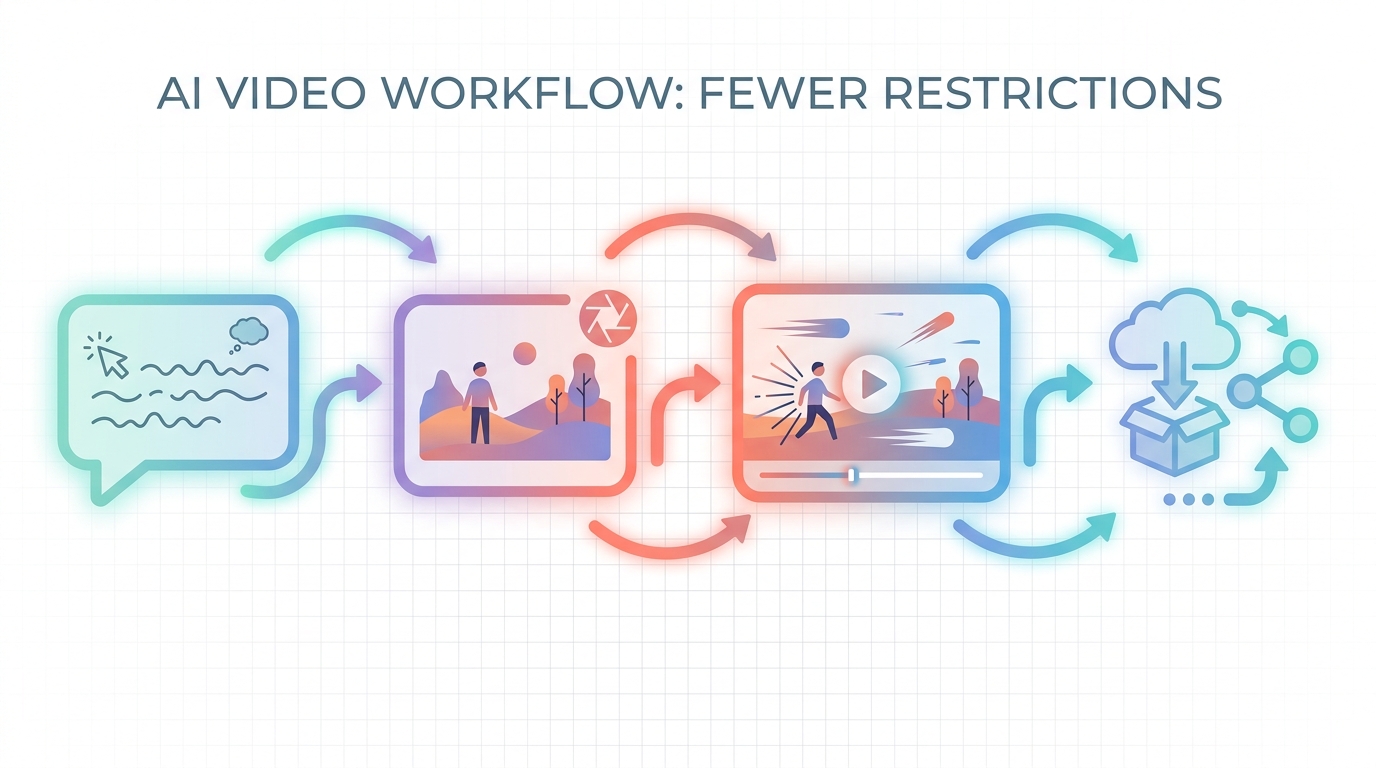
- Open Grok inside X or at grok.com
- Enter a video prompt or upload a reference image
- Grok generates a short video clip
- Download or share directly to X
- For longer content, generate multiple clips and edit them together
Grok Video vs. Dedicated Video Generators
| Feature | Grok XAI Video | Pika Labs / Luma / Runway |
|---|---|---|
| Length | 3–5 seconds | Up to 10 seconds |
| Quality | Good for social | Higher cinematic quality |
| Control | Basic prompt | Advanced camera, motion controls |
| Integration | Native X sharing | Various export options |
| Free tier | Limited via X Premium | More generous standalone tiers |
Bottom line: Grok video is convenient for quick X content, but for serious video production, dedicated tools offer longer clips and better control.
How to Choose an AI Video Generator With Fewer Restrictions
Decision Framework
What do you need?
│
├─→ Maximum creative freedom
│   └─→ Stable Video Diffusion (local) or open-source Wan/CogVideo
│
├─→ Free cloud tool with generous limits
│   └─→ Haiper AI (unlimited) or Pika Labs (10/day)
│
├─→ Best video quality
│   └─→ Luma Dream Machine or Runway Gen-3
│
├─→ Longest free clips
│   └─→ Kling AI (10 seconds)
│
├─→ Anime / stylized content
│   └─→ PixVerse V4
│
└─→ Quick X/social content
    └─→ Grok XAI video (with paid credits)
Key Questions to Ask
- Does the free tier allow commercial use?
- What is the maximum video length?
- Are outputs watermark-free?
- How strict is the content policy?
- Can I generate from text, image, or both?
- Is there an API for automation?
Use Cases for No-Restrictions Video Generators
Creative and Artistic Projects
- Experimental short films
- Music visualizers
- Abstract motion art
- Adult-themed artistic content (on permissive platforms)
Content Creation
- Social media clips
- YouTube Shorts and Reels
- Thumbnail animations
- Meme and viral content
Business and Marketing
- Product demo animations
- Ad creative variations
- Explainer video prototypes
- Localization with different characters/settings
Personal and Private Use
- Hobby projects
- Fan content (within fair use)
- Prototyping before professional production
Limitations and Responsible Use
What You Still Cannot Do
Even on permissive platforms, avoid generating:
- Child exploitation or sexualization
- Non-consensual intimate imagery
- Defamation or harassment targeting real people
- Fraudulent or deceptive content
- Copyright-infringing material
Platform-Specific Risks
| Risk | Mitigation |
|---|---|
| Account bans | Read and follow each platform’s terms |
| Content removal | Keep backups of your work |
| Commercial disputes | Verify licensing before selling |
| Quality inconsistency | Generate multiple variations |
FAQ
Q: What is an AI video generator with no restrictions?
A: An AI video generator no restrictions is a tool with broader content policies than mainstream platforms, giving users more creative freedom. However, all tools have some legal and safety limits.
Q: What are the best free AI video generators 2026?
A: The best free AI video generators 2026 are Pika Labs 2.0, Luma Dream Machine, Kling AI, Haiper AI, Runway Gen-3, PixVerse V4, and Stable Video Diffusion. Each has different strengths in duration, quality, and content flexibility.
Q: What is the Grok XAI video generation length limit in 2026?
A: As of 2026, Grok XAI video generation length limit 2026 typically allows clips of 3–5 seconds per generation. Longer content requires generating multiple clips and editing them together. Exact limits depend on your subscription tier and xAI’s current platform settings.
Q: Can I get truly unlimited free AI video generation?
A: Yes, if you run open-source models like Stable Video Diffusion locally on your own hardware. Cloud tools always have some limits, though Haiper AI offers unlimited 2-second clips.
Q: Are free AI video generators watermark-free?
A: All the tools listed in this guide—Pika Labs, Luma, Kling, Haiper, Runway, PixVerse, and Stable Video Diffusion—offer watermark-free output on their free tiers as of July 2026.
Q: Which AI video generator has the fewest content restrictions?
A: Open-source models that run locally, like Stable Video Diffusion and Wan, have the fewest platform-imposed restrictions because you control the model and prompts.
Q: Can I use Grok XAI video for commercial projects?
A: Commercial rights for Grok XAI video depend on your X Premium tier and xAI’s current terms. Verify the latest terms before using Grok outputs commercially.
Q: How do I make longer videos with AI?
A: Generate multiple short clips and extend them when possible. Tools like Kling AI and Runway support 10-second generations. For longer content, assemble clips in traditional video editing software.
Q: Is Grok XAI video better than Pika Labs or Luma?
A: For X integration and quick social clips, Grok is convenient. For quality, duration, and control, dedicated tools like Pika Labs and Luma Dream Machine are generally better.
Conclusion
Finding an AI video generator no restrictions requires balancing creative freedom with legal and ethical responsibility. The best free AI video generators 2026—Pika Labs, Luma Dream Machine, Kling AI, Haiper AI, Runway, PixVerse, and Stable Video Diffusion—each offer different trade-offs between quality, duration, and permissiveness.
For Grok XAI video generation length limit 2026, expect short 3–5 second clips with expansion through chaining or paid tiers. Grok works well for quick X content, but dedicated video tools remain superior for longer or higher-quality productions.
Start with Haiper AI for unlimited experimentation, Luma Dream Machine for cinematic quality, or Stable Video Diffusion if you need full control. For a unified platform with multiple models and clear commercial licensing, NeoSpark is a strong option.
Related Articles
- 10 Best Free AI Video Generators in 2026
- Image Generation API: A Developer’s Guide
- Grok Image Editor and Text-to-Image Models Without Limitations
- Seedance 2.0: Multimodal AI Video Generation Guide
- AI Creative Tools Comparison 2026
Try It Yourself: Curated Prompts
Create better video inputs with these prompt resources:
Cinematic Foundations
- Composition Techniques (3 Examples) - Strong framing for video clips
- Lighting Techniques (3 Examples) - Mood and atmosphere
- Cinematic Prompts - Movie-quality starting images
Character and Motion
- Character Portrait Photography - Consistent character references
- 3D Cute Character with Scarf - Animated character concepts
- Action Pose Reference - Dynamic movement bases
Environments
- 3D Futuristic City Diorama - Sci-fi video settings
- Isometric Interior Design - Architectural spaces
- Fantasy Map Design - World-building visuals
Share This Article
Found this helpful? Share it with your network:
Share on X Share on LinkedIn Share on Facebook
This article was written by the NeoSpark Team, which consists of AI researchers, creative technologists, and digital marketing experts with a combined 25+ years of experience in creative technology and design automation.
Disclaimer: Pricing, features, and terms mentioned are accurate as of July 2026. AI platforms update policies frequently—always verify current terms directly with each provider before making business decisions.