How to Use Seedance 2.0: API, Best Free AI Text-to-Video Generators 2026, and Image-to-Video With No Restrictions
Alex Zhang is the founder of NeoSpark, an AI-powered design platform helping creators and teams generate images, videos, and brand assets without design skills.
How to Use Seedance 2.0: API, Best Free AI Text-to-Video Generators 2026, and Image-to-Video With No Restrictions
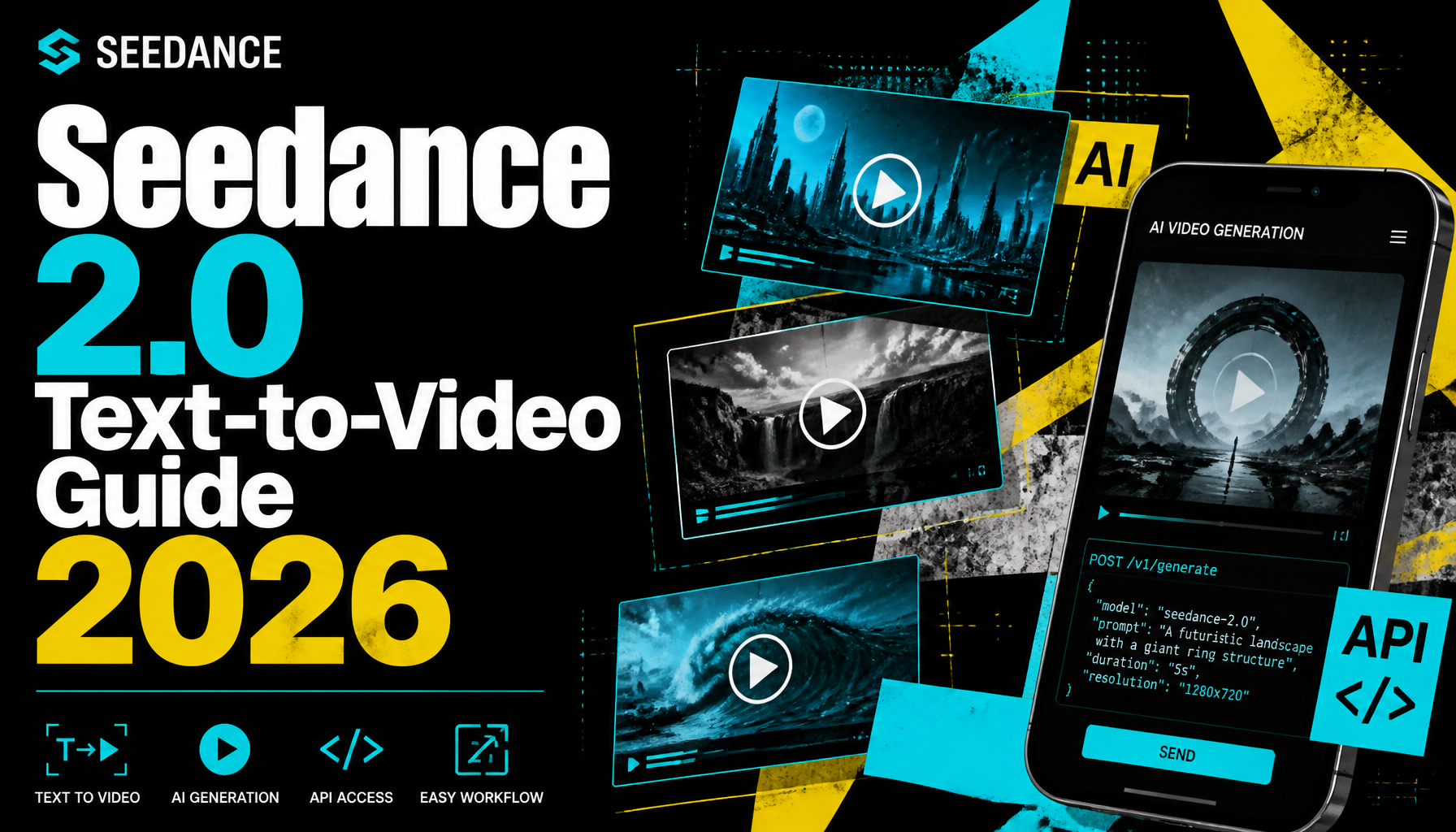
Want to master Seedance 2.0, explore the Seedance 2.0 API, and find the best free AI text-to-video generators 2026? This guide covers everything—plus AI image-to-video with no restrictions and the top UGC video creation apps with free tiers.
Published: July 5, 2026 | Updated: July 5, 2026 Reading Time: 17 minutes Tools Covered: 15+
TL;DR
| Need | Best Option | Why |
|---|---|---|
| How to use Seedance 2.0 | Jimeng app/web | Multimodal inputs, reference control, video extension |
| Seedance 2.0 API | ByteDance enterprise/developer channels | Limited public API; enterprise-first rollout |
| Best free AI text-to-video generators 2026 | Pika Labs, Luma, Kling, Seedance 2.0 | Strong free tiers, no watermark |
| AI image to video no restrictions | Stable Video Diffusion / PixVerse | More permissive policies or local control |
| Top UGC video creation apps with free tiers | CapCut, Canva Video, InVideo AI | Built for creators and social content |
Bottom line: Seedance 2.0 is one of the most powerful AI video tools for multimodal control. For best free AI text-to-video generators 2026, Pika Labs and Luma Dream Machine lead on accessibility and quality. For image-to-video with fewer restrictions, open-source tools give the most freedom.
What Is Seedance 2.0?
Seedance 2.0 is ByteDance’s advanced AI video generation model, released through the Jimeng (即梦) creative platform. It builds on the original Seedance with true multimodal input capabilities—combining text, images, video, and audio to give creators precise control over video output.
Key Capabilities
| Capability | Description |
|---|---|
| Text-to-video | Generate videos from natural language prompts |
| Image-to-video | Animate still images with motion and camera control |
| Video-to-video | Transform or extend existing video clips |
| Audio input | Influence mood and timing with reference audio |
| Reference control | Lock composition, character, and style across generations |
| Video extension | Seamlessly extend short clips into longer sequences |
Seedance 2.0 vs. Seedance 1.0
| Feature | Seedance 1.0 | Seedance 2.0 |
|---|---|---|
| Input modalities | Text + frame | Image, video, audio, text |
| Reference control | Basic | Precise |
| Video extension | Limited | Advanced |
| Resolution | Up to 720p | Up to 1080p/4K |
| Audio sync | Basic | Native multimodal |
How to Use Seedance 2.0
Step 1: Access the Platform
How to use Seedance 2.0 starts with accessing the right platform:
- Mobile: Download the Jimeng app (iOS/Android) in supported regions
- Web: Visit the Jimeng web platform
- Enterprise: Contact ByteDance for API or business access
Step 2: Create a New Project
- Sign in to your account
- Tap or click the video generation option
- Choose your input type: text, image, video, or audio
Step 3: Write a Text Prompt
For text-to-video, describe the scene in detail:
"A cinematic drone shot flying over a neon-lit cyberpunk city at night,
light rain, reflections on wet streets, highly detailed, 24fps"
Step 4: Upload Reference Media (Optional)
Seedance 2.0 shines when you provide references:
- Image reference: Lock visual style, character, or composition
- Video reference: Match camera movement or motion
- Audio reference: Set emotional tone or rhythm
Step 5: Adjust Settings
| Setting | Options | Tip |
|---|---|---|
| Duration | 3–5 seconds per clip | Plan for extensions |
| Aspect ratio | 16:9, 9:16, 1:1 | Match your platform |
| Motion strength | Low / Medium / High | Higher = more movement |
| Reference weight | Low / Medium / High | Higher = stricter adherence |
Step 6: Generate and Extend
- Click generate
- Review the output
- Use the extension feature to continue the scene
- Repeat until you have your full sequence
Pro Tips for Seedance 2.0
- Use strong references for consistent characters
- Generate in short segments for better control
- Plan a shot list before starting
- Iterate on prompts rather than expecting perfection on the first try
Seedance 2.0 API
Current API Availability
The Seedance 2.0 API is primarily available through ByteDance’s enterprise and developer channels. As of 2026, public API access is limited compared to consumer-facing tools like OpenAI or Stability AI.
Who Can Access the API?
| Access Type | How to Get It | Use Case |
|---|---|---|
| Enterprise partners | Contact ByteDance sales | Large-scale production |
| Developers | Apply through official developer portal | App integrations |
| Research partners | Academic/institutional programs | Research and development |
What to Expect From the API
When available, the Seedance 2.0 API typically supports:
- Text-to-video generation
- Image-to-video generation
- Reference-image conditioning
- Video extension endpoints
- Batch generation for high-volume workflows
How to Request API Access
- Visit ByteDance’s official developer or cloud portal
- Look for Seedance / Jimeng API applications
- Submit business or project details
- Wait for approval (enterprise applications are prioritized)
- Integrate using provided documentation and SDKs
Seedance 2.0 API vs. Other Video APIs
| Provider | API Maturity | Best For |
|---|---|---|
| OpenAI Sora API | Limited beta | High-quality text-to-video |
| Runway API | Mature | Professional workflows |
| Pika API | Growing | Social media automation |
| Seedance 2.0 API | Enterprise-first | Multimodal reference control |
| Stability AI API | Mature | Open-source flexibility |
Best Free AI Text to Video Generators 2026
While Seedance 2.0 is powerful, access can be limited by region. Here are the best free ai text to video generators 2026 for broader access.
1. Pika Labs 2.0 — Best for Social Content
Rating: ⭐⭐⭐⭐⭐ (4.8/5)
- Free: 10 videos/day
- Duration: 3 seconds
- Resolution: 720p
- Watermark: No
- Commercial use: Yes
Best for: TikTok, Reels, quick social clips
2. Luma Dream Machine — Best Cinematic Quality
Rating: ⭐⭐⭐⭐⭐ (4.7/5)
- Free: 30 videos/month
- Duration: 5 seconds
- Resolution: 1080p
- Watermark: No
- Commercial use: Yes
Best for: Filmmakers, cinematic B-roll, product videos
3. Kling AI — Best for Longer Clips
Rating: ⭐⭐⭐⭐⭐ (4.6/5)
- Free: 3 videos/day
- Duration: 10 seconds
- Resolution: 720p
- Watermark: No
- Commercial use: Personal only on free tier
Best for: Storytelling, longer social content
4. Haiper AI — Best Unlimited Free Tier
Rating: ⭐⭐⭐⭐ (4.4/5)
- Free: Unlimited generations
- Duration: 2 seconds
- Resolution: 720p
- Watermark: No
- Commercial use: Yes
Best for: Beginners, prompt experimentation
5. Runway Gen-3 — Best Professional Features
Rating: ⭐⭐⭐⭐ (4.5/5)
- Free: 125 one-time credits
- Duration: 10 seconds
- Resolution: 1080p
- Watermark: No
- Commercial use: Yes
Best for: Professional projects, music videos
6. Seedance 2.0 — Best Multimodal Control
Rating: ⭐⭐⭐⭐⭐ (4.7/5)
- Free: Limited daily generations
- Duration: 5 seconds
- Resolution: 720p–1080p
- Watermark: No
- Commercial use: Check current terms
Best for: Precise reference control, multimodal inputs
Comparison Table
| Tool | Free Tier | Duration | Resolution | Commercial | Best For |
|---|---|---|---|---|---|
| Pika Labs 2.0 | 10/day | 3s | 720p | ✅ | Social clips |
| Luma Dream Machine | 30/mo | 5s | 1080p | ✅ | Cinematic |
| Kling AI | 3/day | 10s | 720p | ⚠️ | Long videos |
| Haiper AI | Unlimited | 2s | 720p | ✅ | Beginners |
| Runway Gen-3 | 125 total | 10s | 1080p | ✅ | Professional |
| Seedance 2.0 | Limited | 5s | 720p–1080p | ⚠️ | Multimodal control |
AI Image to Video With No Restrictions
What “No Restrictions” Means for Image-to-Video
AI image to video no restrictions refers to tools that allow broader creative freedom when animating images. This includes:
- More permissive content policies
- Support for artistic, editorial, or mature themes
- Local/self-hosted options for full control
- Fewer arbitrary refusals on creative prompts
Best Tools for Flexible Image-to-Video
| Tool | Restriction Level | Best For |
|---|---|---|
| Stable Video Diffusion | Very low | Full local control |
| PixVerse V4 | Low | Anime, stylized content |
| Pika Labs | Moderate | Social content |
| Luma Dream Machine | Moderate | Cinematic animation |
| Seedance 2.0 | Moderate | Multimodal reference control |
How to Animate Images With Fewer Restrictions
- Choose a permissive tool or run open-source models locally
- Upload your reference image
- Write a motion prompt: “Camera slowly zooms in, character turns to face camera”
- Adjust motion strength to control movement intensity
- Generate multiple variations and select the best
Example Workflow
Still image → Stable Video Diffusion / PixVerse → Short video clip → Edit in CapCut
Top UGC Video Creation Apps With Free Tiers
For creators focused on user-generated content, these are the top UGC video creation apps with free tiers.
1. CapCut — Best All-in-One Mobile Editor
Rating: ⭐⭐⭐⭐⭐ (4.8/5)
- Free: Full editing suite
- Best for: TikTok, Reels, Shorts
- Strengths: Templates, auto-captions, effects
2. Canva Video — Best for Branded Content
Rating: ⭐⭐⭐⭐⭐ (4.7/5)
- Free: Basic video editing + templates
- Best for: Marketing, presentations
- Strengths: Brand kits, easy collaboration
3. InVideo AI — Best AI-Powered Video Maker
Rating: ⭐⭐⭐⭐ (4.5/5)
- Free: Limited AI generations + watermark
- Best for: Explainer videos, ads
- Strengths: Text-to-video, templates
4. Pictory — Best for Long-Form Content
Rating: ⭐⭐⭐⭐ (4.4/5)
- Free: Trial + limited free tier
- Best for: Blog-to-video, webinars
- Strengths: Automatic summarization
5. Descript — Best for Podcast/Interview Videos
Rating: ⭐⭐⭐⭐ (4.4/5)
- Free: 1 hour of transcription/month
- Best for: Podcasts, interviews
- Strengths: Text-based editing, overdub
6. Clipchamp — Best for Windows Users
Rating: ⭐⭐⭐⭐ (4.3/5)
- Free: Full editor with export limits
- Best for: Quick edits, social content
- Strengths: Microsoft integration
7. Loom — Best for Screen Recording
Rating: ⭐⭐⭐⭐ (4.2/5)
- Free: 25 videos/person
- Best for: Tutorials, async communication
- Strengths: Instant sharing, comments
Comparison: Top UGC Video Creation Apps With Free Tiers
| App | Free Tier | Best For | Platform |
|---|---|---|---|
| CapCut | Full editor | Social videos | Mobile/Desktop |
| Canva Video | Basic editing | Branded content | Web |
| InVideo AI | Limited AI + watermark | AI-generated videos | Web |
| Pictory | Trial | Long-form repurposing | Web |
| Descript | 1 hr transcription | Podcast/interview | Desktop |
| Clipchamp | Full editor | Quick social edits | Web/Windows |
| Loom | 25 videos | Screen recording | Web/Desktop |
How to Build a Complete Video Workflow
From Idea to Published Video
Idea → Text prompt / Reference image → AI video generator → UGC editor → Publish
Example workflow for a product video:
- Generate base footage with Luma Dream Machine or Seedance 2.0
- Extend clips as needed
- Edit in CapCut or Canva Video
- Add captions, music, and branding
- Export and publish to social platforms
FAQ
Q: How do I use Seedance 2.0?
A: Download the Jimeng app or visit the web platform, sign in, navigate to video generation, enter a text prompt or upload reference media, adjust settings like duration and aspect ratio, then generate. Use the extension feature for longer sequences.
Q: Is there a Seedance 2.0 API?
A: Yes, but Seedance 2.0 API access is primarily available through ByteDance’s enterprise and developer channels. Public API access is limited as of 2026. Check ByteDance’s official portal for current availability.
Q: What are the best free AI text to video generators 2026?
A: The best free ai text to video generators 2026 include Pika Labs 2.0, Luma Dream Machine, Kling AI, Haiper AI, Runway Gen-3, PixVerse, and Seedance 2.0. Each offers different free-tier limits and strengths.
Q: What is AI image to video no restrictions?
A: AI image to video no restrictions refers to tools with broader content policies for animating images, such as Stable Video Diffusion, PixVerse, and other open-source or permissive platforms. Legal and safety limits still apply.
Q: What are the top UGC video creation apps with free tiers?
A: The top UGC video creation apps with free tiers are CapCut, Canva Video, InVideo AI, Pictory, Descript, Clipchamp, and Loom. They’re designed for creators, marketers, and social media teams.
Q: Can I use Seedance 2.0 for free?
A: Seedance 2.0 offers a limited free tier through the Jimeng platform. Heavy use or commercial projects typically require a paid subscription.
Q: How long can Seedance 2.0 videos be?
A: Individual Seedance 2.0 generations are typically 3–5 seconds. You can extend clips to build longer sequences.
Q: Which is better: Seedance 2.0 or Pika Labs?
A: Seedance 2.0 excels at multimodal reference control and precise composition. Pika Labs is more accessible, has a generous free tier, and is better for quick social content.
Q: Can I use free AI video generators commercially?
A: Many allow commercial use on free tiers, including Pika Labs, Luma, and Haiper. Kling restricts commercial use on its free tier, and Seedance 2.0’s terms vary. Always verify current terms.
Conclusion
Mastering how to use Seedance 2.0 gives you access to one of the most advanced multimodal AI video generators available. While the Seedance 2.0 API remains enterprise-focused, the consumer platform through Jimeng offers powerful reference control and extension features.
For the best free ai text to video generators 2026, Pika Labs and Luma Dream Machine provide the best balance of quality and free-tier generosity. For AI image to video no restrictions, open-source tools like Stable Video Diffusion offer maximum creative control. And for UGC workflows, the top UGC video creation apps with free tiers—CapCut, Canva Video, and InVideo AI—make editing and publishing simple.
Combine these tools based on your project needs: generate with AI, refine in a UGC editor, and publish across platforms.
Related Articles
- Seedance 2.0: The Multimodal AI Video Generator Guide
- 10 Best Free AI Video Generators in 2026
- AI Video Generator No Restrictions
- Image Generation API: A Developer’s Guide
- Grok Image Editor and Text-to-Image Models Without Limitations
Try It Yourself: Curated Prompts
Create better video inputs with these prompts:
Cinematic and Motion
- Composition Techniques (3 Examples) - Frame dynamic shots
- Lighting Techniques (3 Examples) - Set mood and atmosphere
- Cinematic Prompts - Movie-quality foundations
Character and Story
- Character Portrait Photography - Consistent characters
- 3D Cute Character with Scarf - Animated concepts
- Action Pose Reference - Dynamic movement
Environments
- 3D Futuristic City Diorama - Sci-fi settings
- Isometric Interior Design - Architectural spaces
- Fantasy Map Design - World-building visuals
Share This Article
Found this helpful? Share it with your network:
Share on X Share on LinkedIn Share on Facebook
This article was written by the NeoSpark Team, which consists of AI researchers, creative technologists, and digital marketing experts with a combined 25+ years of experience in creative technology and design automation.
Disclaimer: Pricing, features, and terms mentioned are accurate as of July 2026. AI platforms update policies frequently—always verify current terms directly with each provider before making business decisions.